Rear LINCOLN MKZ 2013 Repair Manual
[x] Cancel search | Manufacturer: LINCOLN, Model Year: 2013, Model line: MKZ, Model: LINCOLN MKZ 2013Pages: 474, PDF Size: 3.79 MB
Page 196 of 474
Active guidelines are only shown with
fixed guidelines. To use active
guidelines, turn the steering wheel to
point the guidelines toward an
intended path. If the steering wheel
position is changed while reversing,
the vehicle might deviate from the
original intended path.
The fixed and active guidelines fade
in and out depending on the steering
wheel position. The active guidelines
are not shown when the steering
wheel position is straight.
Always use caution while reversing.
Objects in the red zone are closest to
your vehicle and objects in the green
zone are farther away. Objects are
getting closer to your vehicle as they
move from the green zone to the
yellow or red zones. Use the side view
mirrors and rear view mirror to get
better coverage on both sides and rear
of the vehicle.
Selectable settings for this feature are
ACTIVE + FIXED, FIXED and OFF.
Visual Park Aid Alert
Note:
Visual park alert is only available
when the transmission is in R
(Reverse).
Note: The reverse sensing system is
not effective at speeds above 3 mph
(5 km/h) and may not detect certain
angular or moving objects. The system uses red, yellow and green
highlights which appear on top of the
video image when an object is
detected by the reverse sensing
system. The alert highlights the
closest object detected. The reverse
sensing alert can be disabled and if
visual park aid alert is enabled,
highlighted areas are still displayed.
Selectable settings for this feature are
ON and OFF.
Manual Zoom
WARNING
When manual zoom is on, the
full area behind the vehicle is not
shown. Be aware of your surroundings
when using the manual zoom feature. Note:
Manual zoom is only available
when the transmission is in R
(Reverse).
Note: When manual zoom is enabled,
only the centerline is shown.
This allows you to get a closer view of
an object behind the vehicle. The
zoomed image keeps the bumper in
the image to provide a reference. The
zoom is only active while the
transmission is in R (Reverse). When
the transmission is shifted out of R
(Reverse), the feature automatically
turns off and must be reset when it is
used again.
193
Parking Aids
Page 197 of 474
Selectable settings for this feature are
OFF, Level 1, Level 2 or Level 3. Press
the up and down arrows to change
the view. The selection level appears
between the buttons (i.e. Level 1). The
default setting for the manual zoom
is OFF.
Rear Camera Delay
When shifting the transmission out of
R (Reverse) and into any gear other
than P (Park), the camera image
remains in the display until the vehicle
speed reaches 5 mph (8 km/h). This
occurs when the rear camera delay
feature is on, or until a radio button is
selected.
Selectable settings for this feature are
ON and OFF. The default setting for
the rear camera delay is OFF.
194
Parking Aids
Page 207 of 474
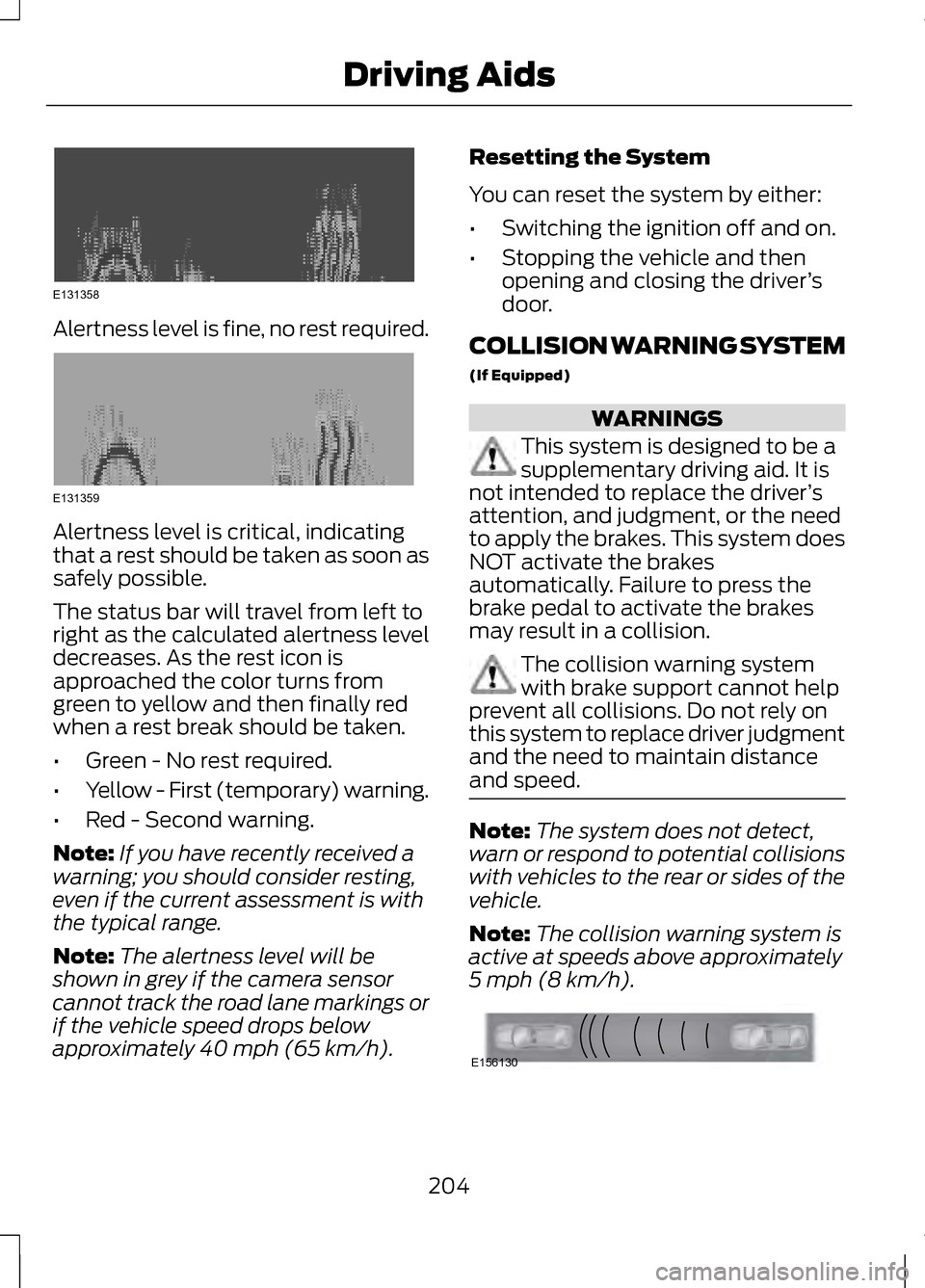
Alertness level is fine, no rest required.
Alertness level is critical, indicating
that a rest should be taken as soon as
safely possible.
The status bar will travel from left to
right as the calculated alertness level
decreases. As the rest icon is
approached the color turns from
green to yellow and then finally red
when a rest break should be taken.
•
Green - No rest required.
• Yellow - First (temporary) warning.
• Red - Second warning.
Note: If you have recently received a
warning; you should consider resting,
even if the current assessment is with
the typical range.
Note: The alertness level will be
shown in grey if the camera sensor
cannot track the road lane markings or
if the vehicle speed drops below
approximately 40 mph (65 km/h). Resetting the System
You can reset the system by either:
•
Switching the ignition off and on.
• Stopping the vehicle and then
opening and closing the driver ’s
door.
COLLISION WARNING SYSTEM
(If Equipped) WARNINGS
This system is designed to be a
supplementary driving aid. It is
not intended to replace the driver ’s
attention, and judgment, or the need
to apply the brakes. This system does
NOT activate the brakes
automatically. Failure to press the
brake pedal to activate the brakes
may result in a collision. The collision warning system
with brake support cannot help
prevent all collisions. Do not rely on
this system to replace driver judgment
and the need to maintain distance
and speed. Note:
The system does not detect,
warn or respond to potential collisions
with vehicles to the rear or sides of the
vehicle.
Note: The collision warning system is
active at speeds above approximately
5 mph (8 km/h). 204
Driving AidsE131358 E131359 E156130
Page 211 of 474
These systems have a range of modes
which you can choose from in order
to customize your ideal driving
experience:
•
Comfort – Provides a more relaxed
driving experience. Steering effort
is decreased, suspension
movement is more fluid. Comfort
mode is ideal when enhanced
traveling comfort is desired.
• Normal – Delivers a balanced
combination of comfortable,
controlled ride and confident
handling and powerful yet quiet
powertrain sound. This mode
provides an engaging drive
experience and a direct connection
to the road without sacrificing any
of the composure demanded from
a luxury vehicle. Unwanted noises
from the powertrain are cancelled
while desired sounds are shaped
to deliver a smooth powerful note.
This setting is ideal for everyday
use and daily driving.
• Sport – Provides a sportier driving
experience. Suspension stiffens,
with an emphasis on handling and
control. The engine responds more
directly to your inputs and takes
on a more powerful tone. Sport
mode is intended to be used during
more spirited driving.
You can configure which of the
Adaptive Drive modes is active when
the vehicle is in D (Drive) or in S
(Sport). The configuration is retained
until modified from the main menu on
the information display. See General
Information (page 100). LANE KEEPING SYSTEM WARNING
The system is designed to aid the
driver. It is not intended to
replace the driver ’s attention and
judgment. The driver is still
responsible to drive with due care and
attention. Note:
The system needs to be
activated by the driver at each key
cycle.
Note: The system works above 40
mph (64 km/h).
Note: The system works as long as one
lane marking can be detected by the
camera.
Note: If the camera is blocked or if the
windshield is damaged, the system
may not function.
Note: When Aid mode is on and the
system detects no driver steering
activity for a short continuous period
of time, the system alerts the driver to
put their hands on the steering wheel.
The system may detect a light
grip/touch on the steering wheel as
hands off driving.
The system detects unintentional
drifting toward the outside of the lane
and alerts and/or aids the driver to
stay in the lane through the steering
system and instrument cluster display.
The system automatically detects and
tracks the road lane markings using a
camera that is mounted behind the
interior rear view mirror.
208
Driving Aids
Page 215 of 474
Why does the vehicle not come back into the middle of the lane always, as
expected, in the Aid or Aid + Alert mode?
High cross winds
Large road crown
Rough roads, grooves, shoulder drop-offs
Heavy uneven loading of the vehicle or improper tire inflation pressure
If the tires have been exchanged (including snow tires), or the suspension has
been modified
BLIND SPOT MONITOR
Blind Spot Information System
(BLIS®) with Cross Traffic
Alert (If Equipped) WARNING
To help avoid injuries, NEVER use
the BLIS as a replacement for
using the interior and exterior mirrors
and looking over your shoulder before
changing lanes. BLIS is not a
replacement for careful driving and
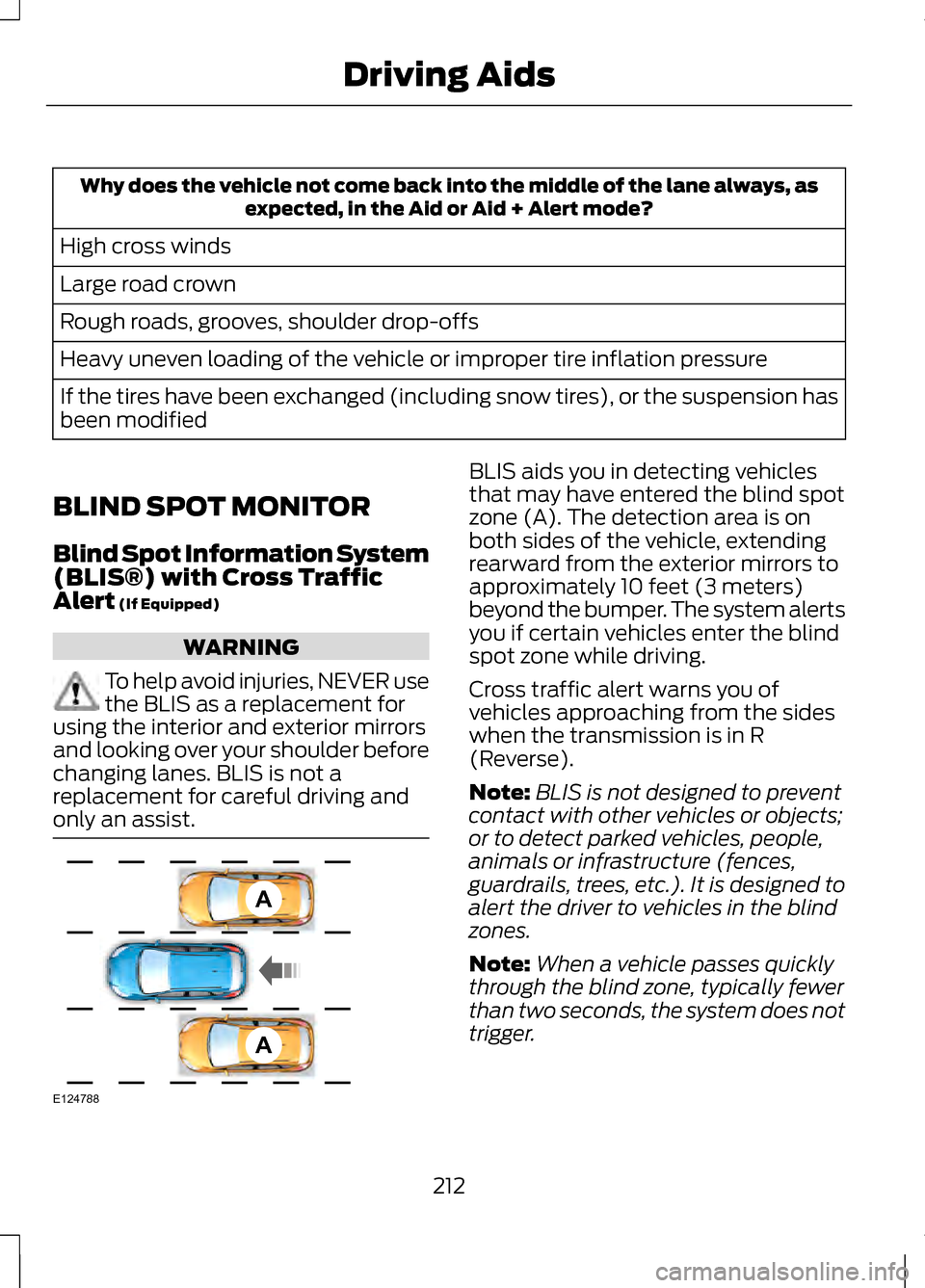
only an assist. BLIS aids you in detecting vehicles
that may have entered the blind spot
zone (A). The detection area is on
both sides of the vehicle, extending
rearward from the exterior mirrors to
approximately 10 feet (3 meters)
beyond the bumper. The system alerts
you if certain vehicles enter the blind
spot zone while driving.
Cross traffic alert warns you of
vehicles approaching from the sides
when the transmission is in R
(Reverse).
Note:
BLIS is not designed to prevent
contact with other vehicles or objects;
or to detect parked vehicles, people,
animals or infrastructure (fences,
guardrails, trees, etc.). It is designed to
alert the driver to vehicles in the blind
zones.
Note: When a vehicle passes quickly
through the blind zone, typically fewer
than two seconds, the system does not
trigger.
212
Driving AidsA
A
E124788
Page 217 of 474
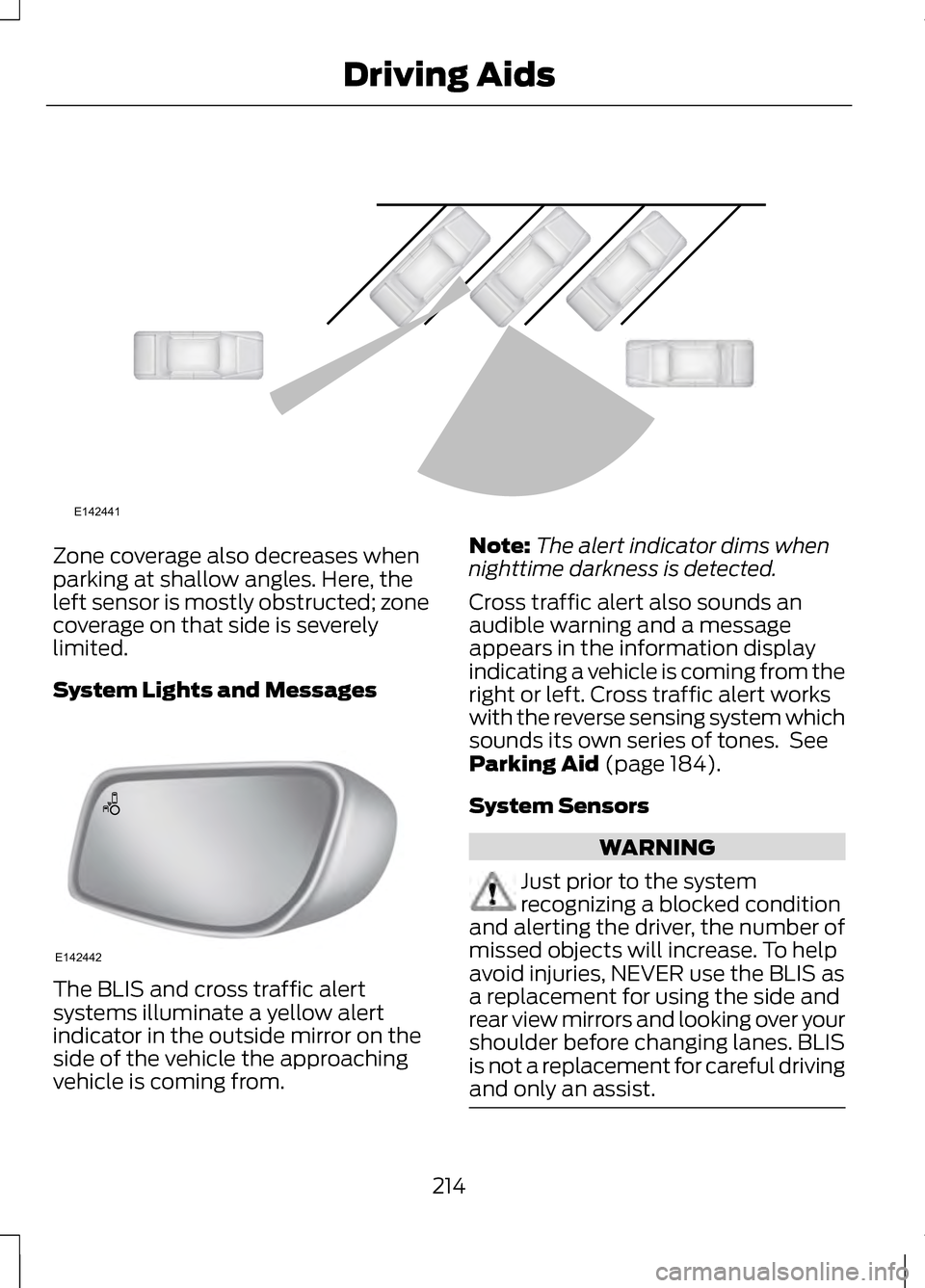
Zone coverage also decreases when
parking at shallow angles. Here, the
left sensor is mostly obstructed; zone
coverage on that side is severely
limited.
System Lights and Messages
The BLIS and cross traffic alert
systems illuminate a yellow alert
indicator in the outside mirror on the
side of the vehicle the approaching
vehicle is coming from. Note:
The alert indicator dims when
nighttime darkness is detected.
Cross traffic alert also sounds an
audible warning and a message
appears in the information display
indicating a vehicle is coming from the
right or left. Cross traffic alert works
with the reverse sensing system which
sounds its own series of tones. See
Parking Aid (page 184).
System Sensors WARNING
Just prior to the system
recognizing a blocked condition
and alerting the driver, the number of
missed objects will increase. To help
avoid injuries, NEVER use the BLIS as
a replacement for using the side and
rear view mirrors and looking over your
shoulder before changing lanes. BLIS
is not a replacement for careful driving
and only an assist. 214
Driving AidsE142441 E142442
Page 224 of 474
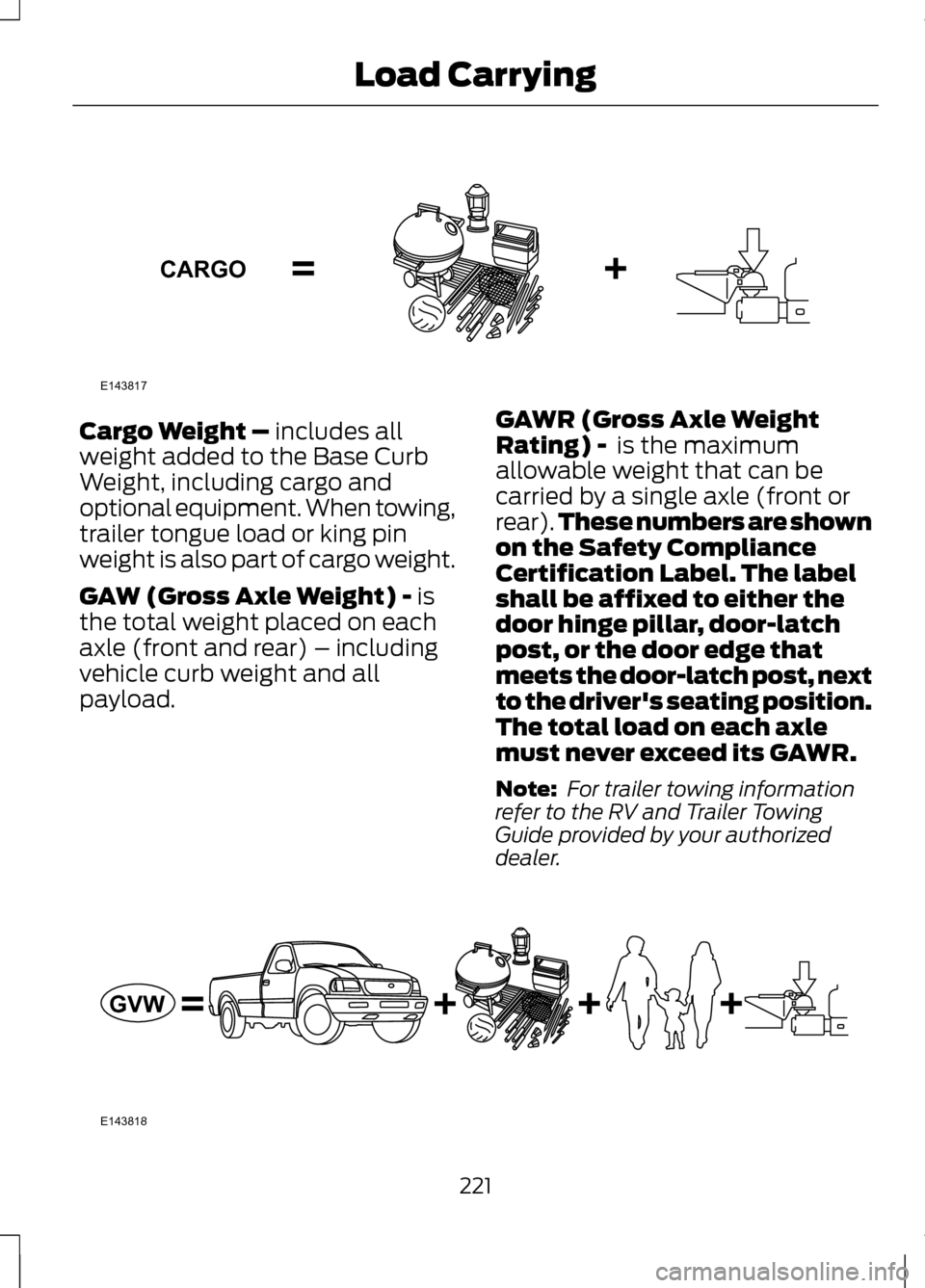
Cargo Weight – includes all
weight added to the Base Curb
Weight, including cargo and
optional equipment. When towing,
trailer tongue load or king pin
weight is also part of cargo weight.
GAW (Gross Axle Weight) -
is
the total weight placed on each
axle (front and rear) – including
vehicle curb weight and all
payload. GAWR (Gross Axle Weight
Rating) -
is the maximum
allowable weight that can be
carried by a single axle (front or
rear). These numbers are shown
on the Safety Compliance
Certification Label. The label
shall be affixed to either the
door hinge pillar, door-latch
post, or the door edge that
meets the door-latch post, next
to the driver's seating position.
The total load on each axle
must never exceed its GAWR.
Note: For trailer towing information
refer to the RV and Trailer Towing
Guide provided by your authorized
dealer. 221
Load CarryingE143817CARGO E143818GVW
Page 228 of 474
3. Subtract the combined weight
of the driver and passengers from
XXX kg or XXX lb.
4. The resulting figure equals the
available amount of cargo and
luggage load capacity. For
example, if the
“XXX” amount
equals 1,400 lb. and there will be
five 150 lb. passengers in your
vehicle, the amount of available
cargo and luggage load capacity
is 650 lb. (1400-750 (5 x 150) =
650 lb.). In metric units (635-340
(5 x 68) = 295 kg.)
5. Determine the combined weight
of luggage and cargo being loaded
on the vehicle. That weight may
not safely exceed the available
cargo and luggage load capacity
calculated in Step 4.
6. If your vehicle will be towing a
trailer, load from your trailer will
be transferred to your vehicle.
Consult this manual to determine
how this reduces the available
cargo and luggage load capacity
of your vehicle.
The following gives you a few
examples on how to calculate the
available amount of cargo and
luggage load capacity: *Suppose your vehicle has a 1400
lb. (635 kg) cargo and luggage
capacity. You decide to go golfing.
Is there enough load capacity to
carry you, 4 of your friends and all
the golf bags? You and four
friends average 220 lb. (99 kg)
each and the golf bags weigh
approximately 30 lb. (13.5 kg)
each. The calculation would be:
1400 - (5 x 220) - (5 x 30) = 1400
- 1100 - 150 = 150 lb. Yes, you have
enough load capacity in your
vehicle to transport four friends
and your golf bags. In metric units,
the calculation would be: 635 kg
- (5 x 99 kg) - (5 x 13.5 kg) = 635
- 495 - 67.5 = 72.5 kg.
*Suppose your vehicle has a 1400
lb. (635 kg) cargo and luggage
capacity. You and one of your
friends decide to pick up cement
from the local home improvement
store to finish that patio you have
been planning for the past 2 years.
Measuring the inside of the vehicle
with the rear seat folded down,
you have room for 12-100 lb. (45
kg) bags of cement. Do you have
enough load capacity to transport
the cement to your home? If you
and your friend each weigh 220 lb.
(99 kg), the calculation would be:
1400 - (2 x 220) - (12 x 100) =
1400 - 440 - 1200 = - 240 lb. No,
you do not have enough cargo
capacity to carry that much
weight. In metric units, the
225
Load Carrying
Page 229 of 474
calculation would be: 635 kg - (2
x 99 kg) - (12 x 45 kg) = 635 - 198
- 540 = -103 kg. You will need to
reduce the load weight by at least
240 lb. (104 kg). If you remove
3-100 lb. (45 kg) cement bags,
then the load calculation would
be: 1400 - (2 x 220) - (9 x 100) =
1400 - 440 - 900 = 60 lb. Now
you have the load capacity to
transport the cement and your
friend home. In metric units, the
calculation would be: 635 kg - (2
x 99 kg) - (9 x 45 kg) = 635 - 198
- 405 = 32 kg.
The above calculations also
assume that the loads are
positioned in your vehicle in a
manner that does not overload
the Front or the Rear Gross Axle
Weight Rating specified for your
vehicle on the Safety Compliance
Certification Label. The label shall
be affixed to either the door hinge
pillar, door-latch post, or the door
edge that meets the door-latch
post, next to the driver's seating
position.
226
Load Carrying
Page 234 of 474
•
Avoid parking on a grade.
• However, if you must park on a
grade:
•Turn the steering wheel to point
the vehicle tires away from
traffic flow.
• Set the vehicle parking brake.
• Place automatic transmission
in position P.
• Place wheel chocks in front and
back of the trailer wheels.
(Chocks not equipped with
vehicle.)
Launching or Retrieving a Boat
or Personal Watercraft (PWC)
Note: Disconnect the wiring to the
trailer
before backing the trailer into
the water.
Note: Reconnect the wiring to the
trailer after you remove the trailer from
the water.
When backing down a ramp during
boat launching or retrieval:
• Do not allow the static water level
to rise above the bottom edge of
the rear bumper.
• Do not allow waves to break higher
than 6 inches (15 centimeters)
above the bottom edge of the rear
bumper.
Exceeding these limits may allow
water to enter vehicle components:
• Causing internal damage to the
components.
• Affecting drivability, emissions, and
reliability. Any time the rear axle submerges in
water, replace the rear axle lubricant.
Water may contaminate the rear axle
lubricant, which is not a normal
maintenance inspection item unless
there is a possibility of a leak or other
axle repair is required.
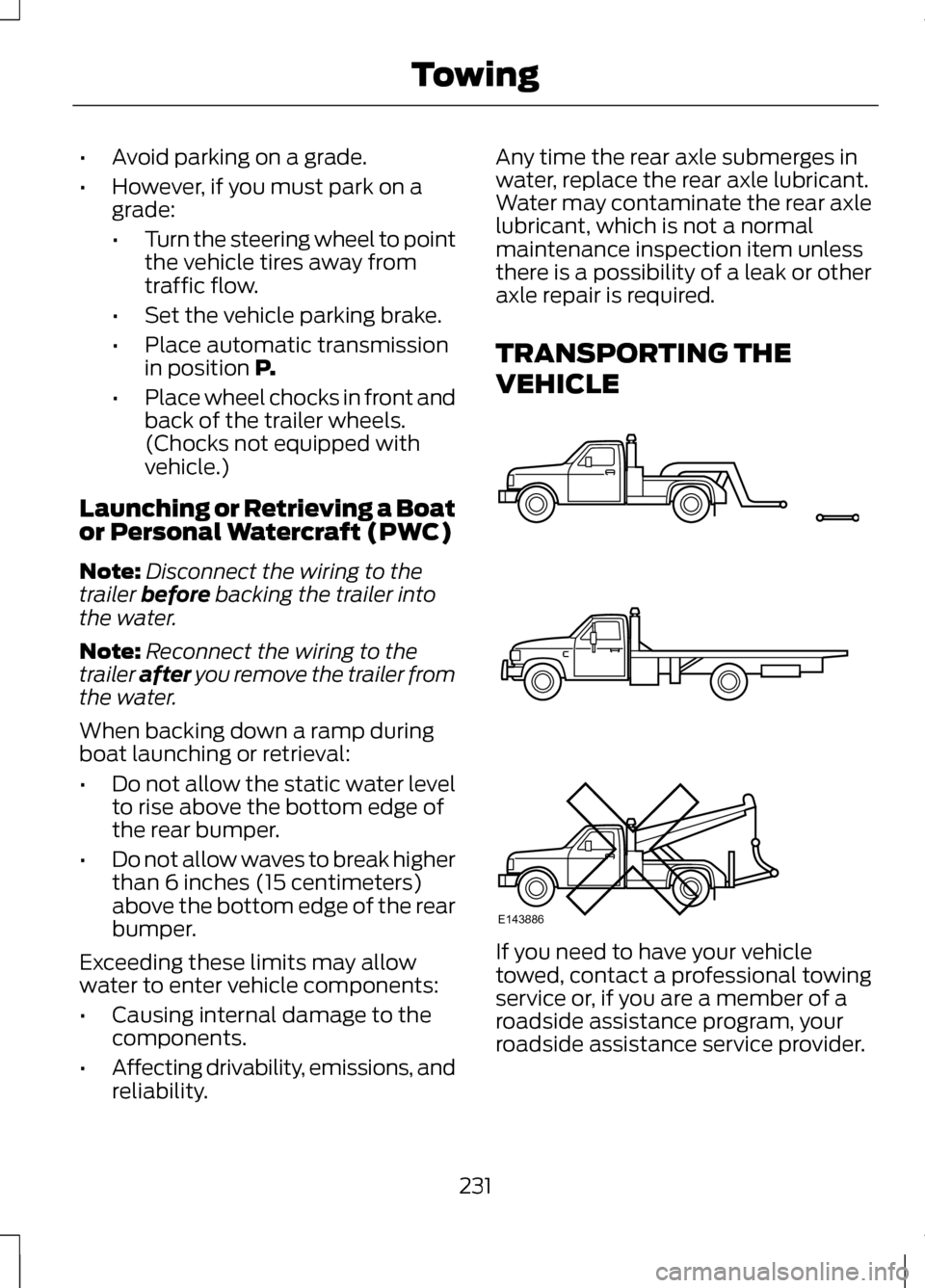
TRANSPORTING THE
VEHICLE
If you need to have your vehicle
towed, contact a professional towing
service or, if you are a member of a
roadside assistance program, your
roadside assistance service provider.
231
TowingE143886