Rear LINCOLN MKZ 2013 Workshop Manual
[x] Cancel search | Manufacturer: LINCOLN, Model Year: 2013, Model line: MKZ, Model: LINCOLN MKZ 2013Pages: 474, PDF Size: 3.79 MB
Page 160 of 474
If you have run out of fuel:
•
You may need to cycle the ignition
from off to on several times after
refueling to allow the fuel system
to pump the fuel from the tank to
the engine. On restarting, cranking
time will take a few seconds longer
than normal. With keyless ignition,
just start the engine. Crank time
will be longer than usual.
• Normally, adding 1 gallon (3.8
liters) of fuel is enough to restart
the engine. If the vehicle is out of
fuel and on a steep grade, more
than 1 gallon (3.8 liters) may be
required.
• The service engine soon indicator
may come on.
Refilling With a Portable Fuel
Container WARNINGS
Do not insert the nozzle of
portable fuel containers or
aftermarket funnels into the capless
fuel system. This could damage the
fuel system and its seal, and may
cause fuel to run onto the ground
instead of filling the tank, which could
result in serious personal injury. Do not try to pry open or push
open the capless fuel system
with foreign objects. This could
damage the fuel system and its seal
and cause injury to you or others. Note:
Do not use aftermarket funnels;
they will not work with the capless fuel
system and can damage it. The
included funnel has been specially
designed to work safely with your
vehicle.
When filling the vehicle ’s fuel tank
from a portable fuel container, use the
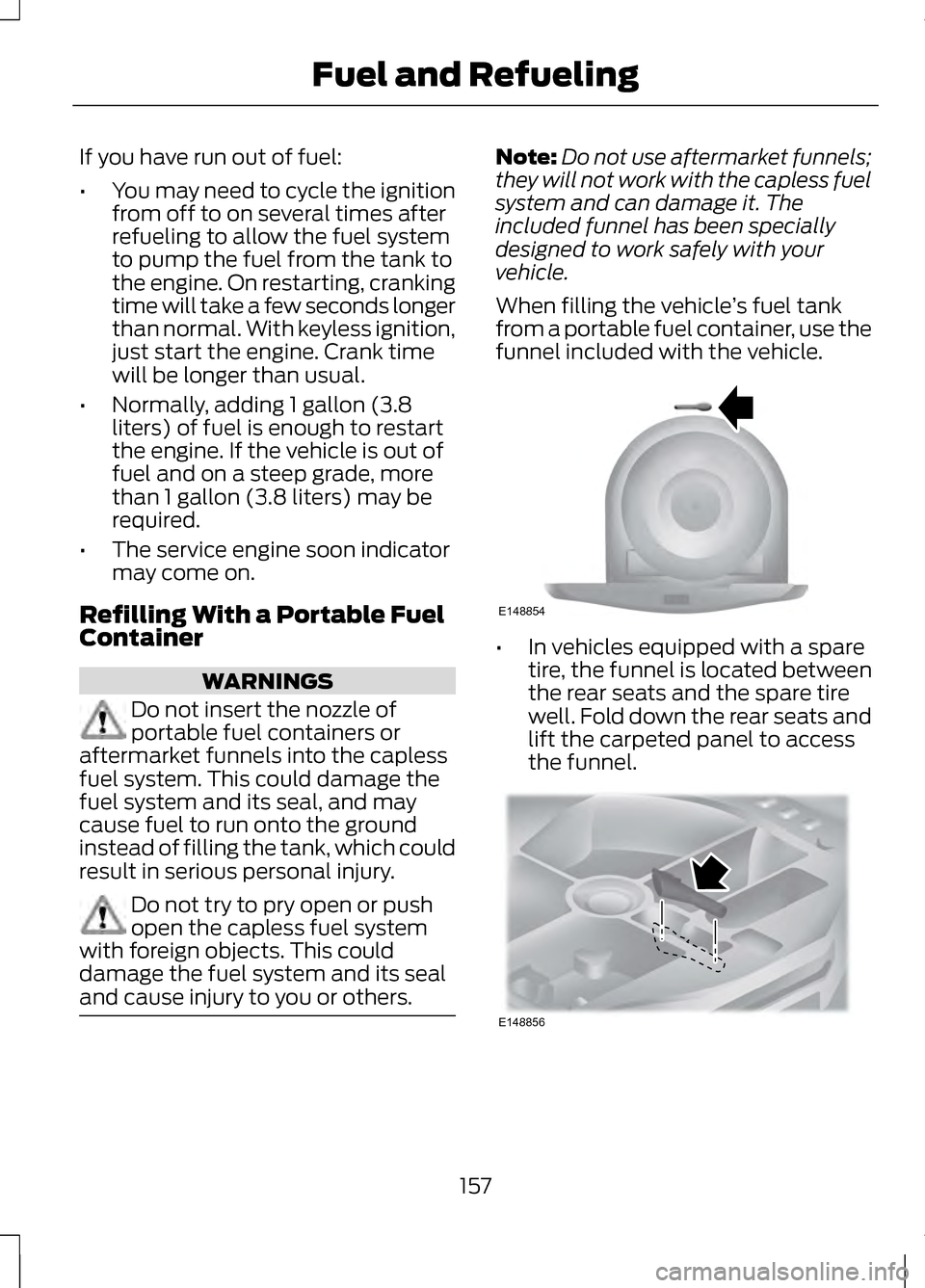
funnel included with the vehicle. •
In vehicles equipped with a spare
tire, the funnel is located between
the rear seats and the spare tire
well. Fold down the rear seats and
lift the carpeted panel to access
the funnel. 157
Fuel and RefuelingE148854 E148856
Page 161 of 474
•
In vehicles equipped with a tire
mobility kit the funnel is located in
the rear of the vehicle, inside the
load compartment, underneath
the carpeted floor panel and is
accessible from the trunk.
When filling the vehicle ’s fuel tank
from a portable fuel container:
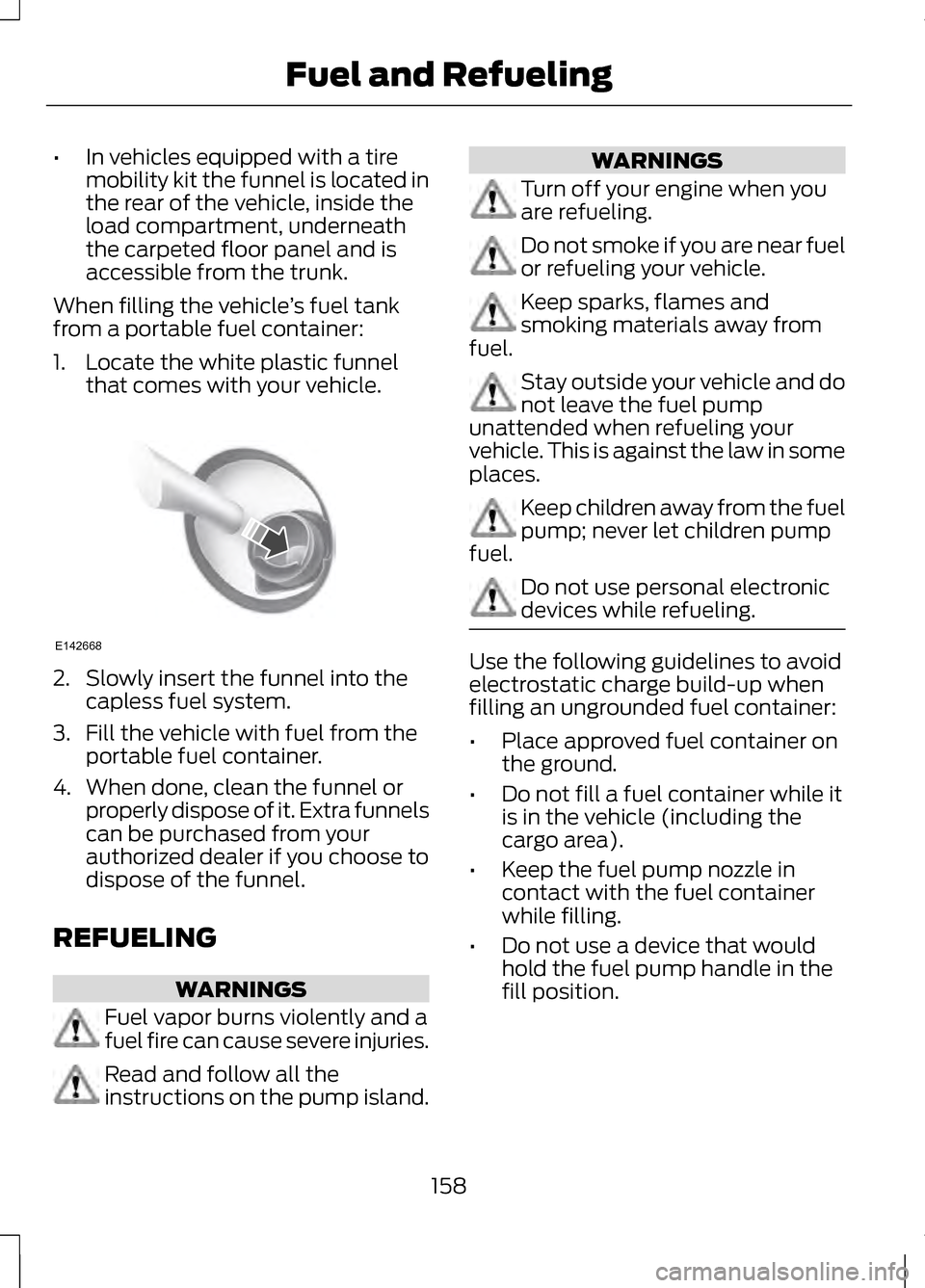
1. Locate the white plastic funnel that comes with your vehicle. 2. Slowly insert the funnel into the
capless fuel system.
3. Fill the vehicle with fuel from the portable fuel container.
4. When done, clean the funnel or properly dispose of it. Extra funnels
can be purchased from your
authorized dealer if you choose to
dispose of the funnel.
REFUELING WARNINGS
Fuel vapor burns violently and a
fuel fire can cause severe injuries.
Read and follow all the
instructions on the pump island. WARNINGS
Turn off your engine when you
are refueling.
Do not smoke if you are near fuel
or refueling your vehicle.
Keep sparks, flames and
smoking materials away from
fuel. Stay outside your vehicle and do
not leave the fuel pump
unattended when refueling your
vehicle. This is against the law in some
places. Keep children away from the fuel
pump; never let children pump
fuel. Do not use personal electronic
devices while refueling.
Use the following guidelines to avoid
electrostatic charge build-up when
filling an ungrounded fuel container:
•
Place approved fuel container on
the ground.
• Do not fill a fuel container while it
is in the vehicle (including the
cargo area).
• Keep the fuel pump nozzle in
contact with the fuel container
while filling.
• Do not use a device that would
hold the fuel pump handle in the
fill position.
158
Fuel and RefuelingE142668
Page 174 of 474
USING ALL-WHEEL DRIVE
All-wheel drive uses all four wheels
to power the vehicle. This increases
traction, enabling you to drive over
terrain and road conditions that a
conventional two-wheel drive vehicle
cannot. The AWD system is active all
the time and requires no input from
the operator.
Note:
Your AWD vehicle is not
intended for off-road use. The AWD
feature gives your vehicle some limited
off-road capabilities in which driving
surfaces are relatively level,
obstruction-free and otherwise similar
to normal on-road driving conditions.
Operating your vehicle under other than
those conditions could subject the
vehicle to excessive stress which might
result in damage which is not covered
under your warranty.
Note: A warning message will be
displayed in the information display
when an AWD system fault is present
See Information Messages (page 105).
An AWD system fault will cause the
AWD system to default to front-wheel
drive only mode. When this warning
message is displayed, have your vehicle
serviced at an authorized dealer Note:
A warning message will be
displayed in the information display if
the AWD system has overheated See
Information Messages (page 105).
This condition may occur if the vehicle
was operated in extreme conditions
with excessive wheel slip, such as deep
sand. To resume normal AWD function
as soon as possible, stop the vehicle in
a safe location and stop the engine for
at least 10 minutes. After the engine
has been restarted and the AWD
system has adequately cooled, the
warning message will turn off and
normal AWD function will return.
Do not use a spare tire of a different
size other than the tire provided. If the
mini-spare tire is installed, the AWD
system may disable automatically
and enter front-wheel drive only mode
to protect driveline components. This
condition will be indicated by a
warning in the information display
See
Information Messages (page
105). If there is a warning message in
the information display from using the
spare tire, this indicator should turn
off after reinstalling the repaired or
replaced normal road tire and cycling
the ignition off and on. It is
recommended to reinstall the repaired
or replaced road tire as soon as
possible. Major dissimilar tire sizes
between the front and rear axles
could cause the AWD system to stop
functioning and default to front-wheel
drive or damage the AWD system.
171
All-Wheel Drive
(If Equipped)
Page 177 of 474
Avoid excessive speed because
vehicle momentum can work against
you and cause the vehicle to become
stuck to the point that assistance may
be required from another vehicle.
Remember, you may be able to back
out the way you came if you proceed
with caution.
Mud and Water
If you must drive through high water,
drive slowly. Traction or brake
capability may be limited.
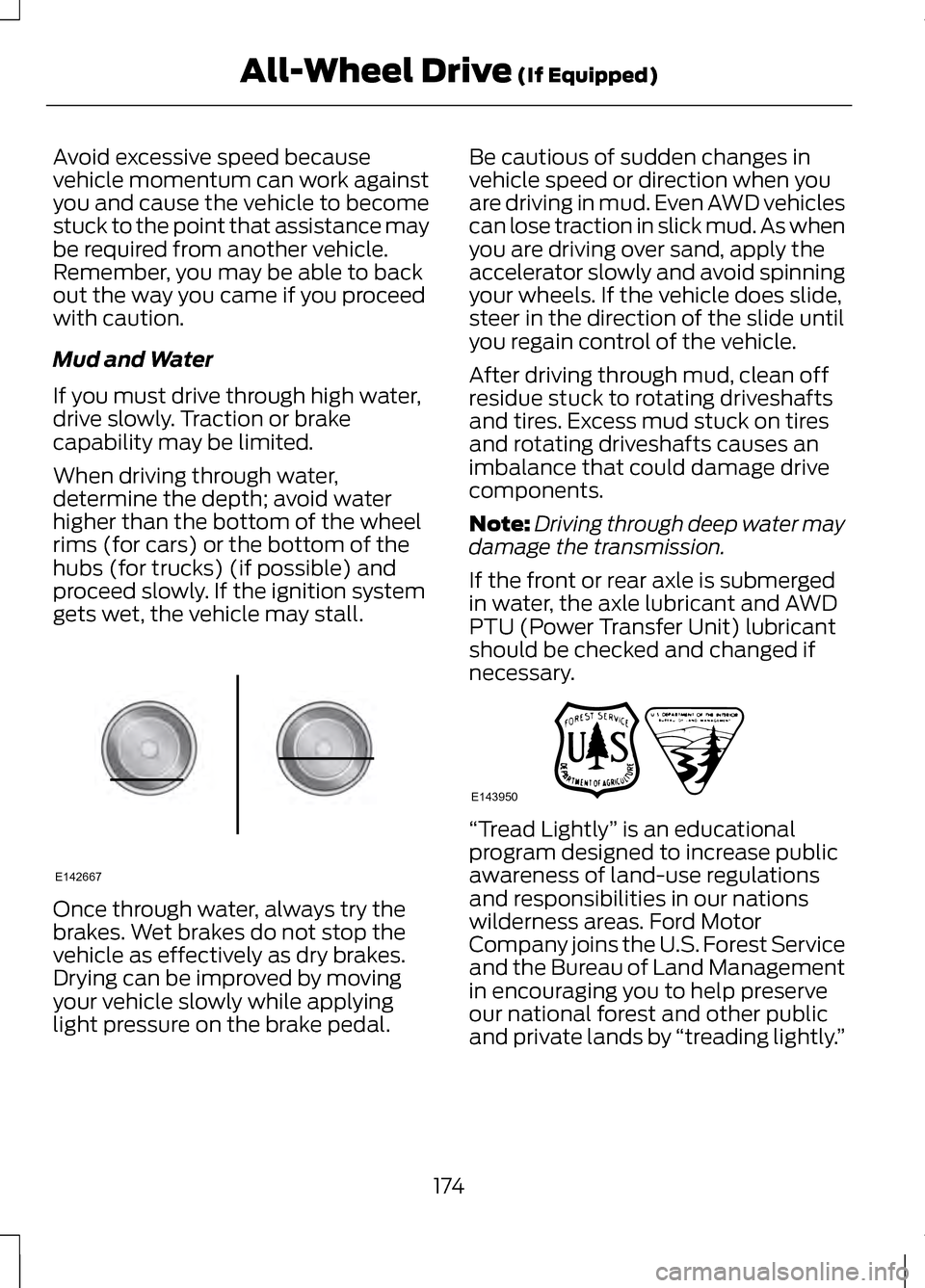
When driving through water,
determine the depth; avoid water
higher than the bottom of the wheel
rims (for cars) or the bottom of the
hubs (for trucks) (if possible) and
proceed slowly. If the ignition system
gets wet, the vehicle may stall.
Once through water, always try the
brakes. Wet brakes do not stop the
vehicle as effectively as dry brakes.
Drying can be improved by moving
your vehicle slowly while applying
light pressure on the brake pedal. Be cautious of sudden changes in
vehicle speed or direction when you
are driving in mud. Even AWD vehicles
can lose traction in slick mud. As when
you are driving over sand, apply the
accelerator slowly and avoid spinning
your wheels. If the vehicle does slide,
steer in the direction of the slide until
you regain control of the vehicle.
After driving through mud, clean off
residue stuck to rotating driveshafts
and tires. Excess mud stuck on tires
and rotating driveshafts causes an
imbalance that could damage drive
components.
Note:
Driving through deep water may
damage the transmission.
If the front or rear axle is submerged
in water, the axle lubricant and AWD
PTU (Power Transfer Unit) lubricant
should be checked and changed if
necessary. “Tread Lightly
” is an educational
program designed to increase public
awareness of land-use regulations
and responsibilities in our nations
wilderness areas. Ford Motor
Company joins the U.S. Forest Service
and the Bureau of Land Management
in encouraging you to help preserve
our national forest and other public
and private lands by “treading lightly.”
174
All-Wheel Drive (If Equipped)E142667 E143950
Page 178 of 474
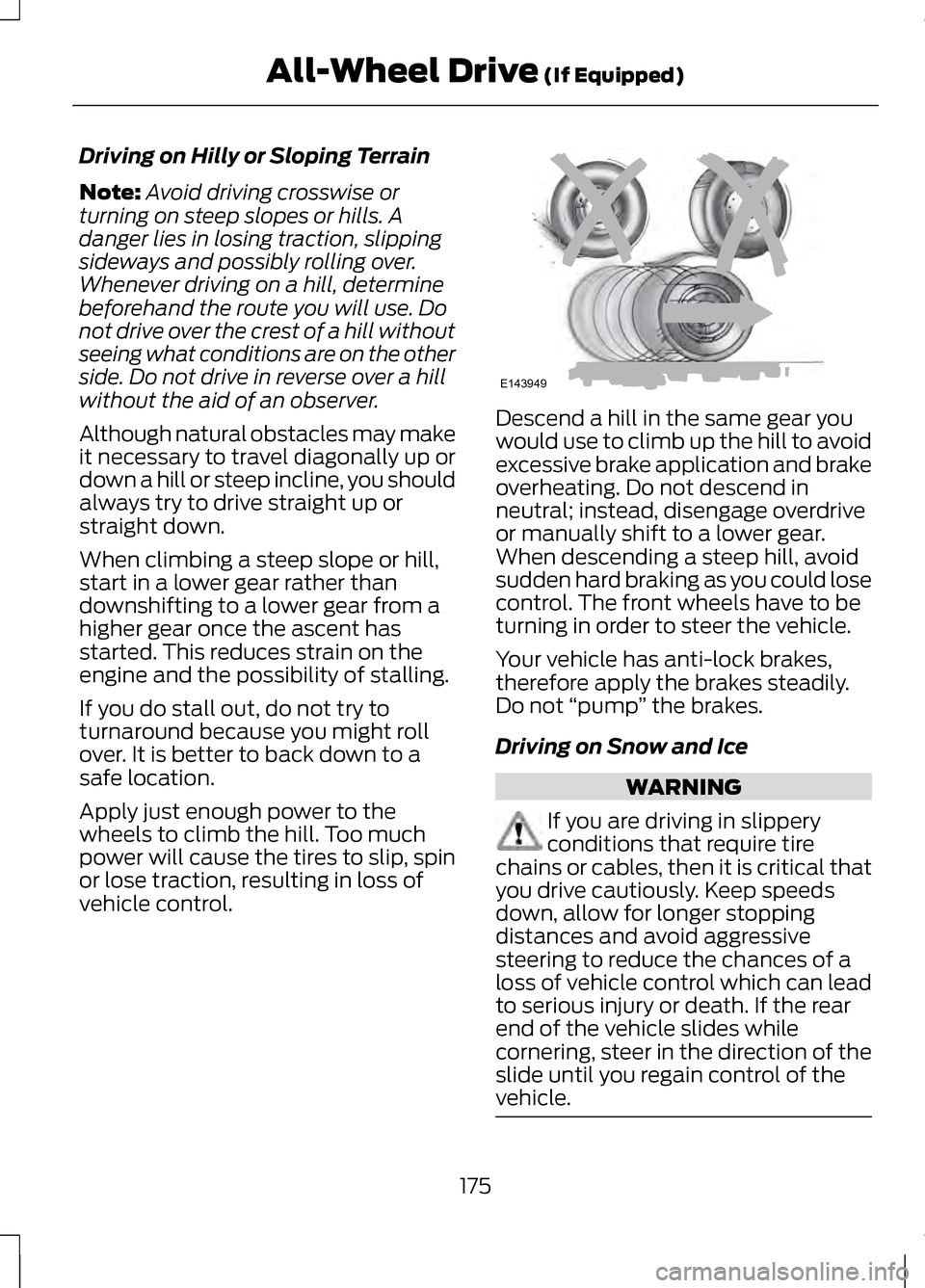
Driving on Hilly or Sloping Terrain
Note:
Avoid driving crosswise or
turning on steep slopes or hills. A
danger lies in losing traction, slipping
sideways and possibly rolling over.
Whenever driving on a hill, determine
beforehand the route you will use. Do
not drive over the crest of a hill without
seeing what conditions are on the other
side. Do not drive in reverse over a hill
without the aid of an observer.
Although natural obstacles may make
it necessary to travel diagonally up or
down a hill or steep incline, you should
always try to drive straight up or
straight down.
When climbing a steep slope or hill,
start in a lower gear rather than
downshifting to a lower gear from a
higher gear once the ascent has
started. This reduces strain on the
engine and the possibility of stalling.
If you do stall out, do not try to
turnaround because you might roll
over. It is better to back down to a
safe location.
Apply just enough power to the
wheels to climb the hill. Too much
power will cause the tires to slip, spin
or lose traction, resulting in loss of
vehicle control. Descend a hill in the same gear you
would use to climb up the hill to avoid
excessive brake application and brake
overheating. Do not descend in
neutral; instead, disengage overdrive
or manually shift to a lower gear.
When descending a steep hill, avoid
sudden hard braking as you could lose
control. The front wheels have to be
turning in order to steer the vehicle.
Your vehicle has anti-lock brakes,
therefore apply the brakes steadily.
Do not
“pump” the brakes.
Driving on Snow and Ice WARNING
If you are driving in slippery
conditions that require tire
chains or cables, then it is critical that
you drive cautiously. Keep speeds
down, allow for longer stopping
distances and avoid aggressive
steering to reduce the chances of a
loss of vehicle control which can lead
to serious injury or death. If the rear
end of the vehicle slides while
cornering, steer in the direction of the
slide until you regain control of the
vehicle. 175
All-Wheel Drive (If Equipped)E143949
Page 188 of 474
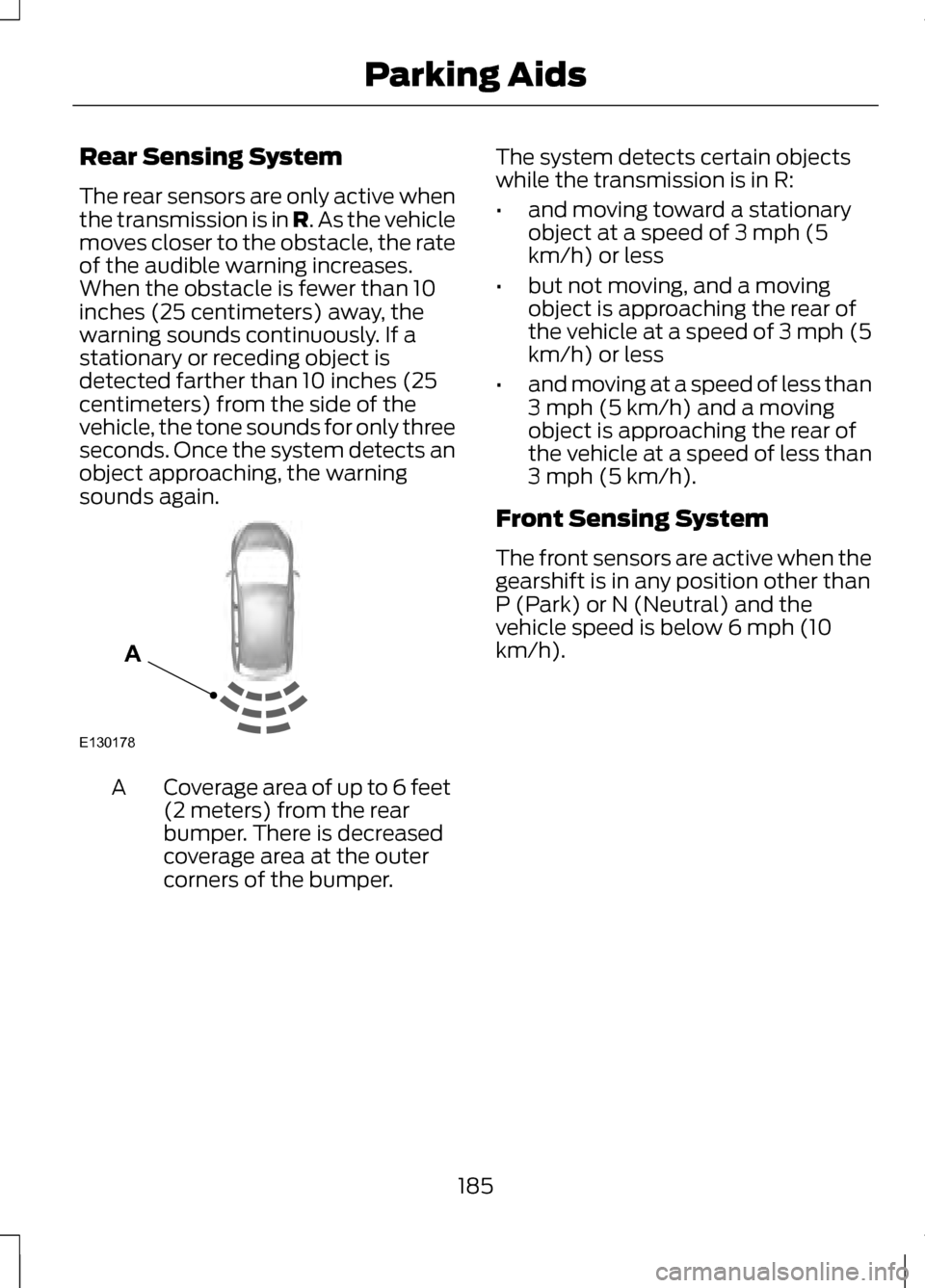
Rear Sensing System
The rear sensors are only active when
the transmission is in R. As the vehicle
moves closer to the obstacle, the rate
of the audible warning increases.
When the obstacle is fewer than 10
inches (25 centimeters) away, the
warning sounds continuously. If a
stationary or receding object is
detected farther than 10 inches (25
centimeters) from the side of the
vehicle, the tone sounds for only three
seconds. Once the system detects an
object approaching, the warning
sounds again. Coverage area of up to 6 feet
(2 meters) from the rear
bumper. There is decreased
coverage area at the outer
corners of the bumper.
A The system detects certain objects
while the transmission is in R:
•
and moving toward a stationary
object at a speed of 3 mph (5
km/h) or less
• but not moving, and a moving
object is approaching the rear of
the vehicle at a speed of 3 mph (5
km/h) or less
• and moving at a speed of less than
3 mph (5 km/h) and a moving
object is approaching the rear of
the vehicle at a speed of less than
3 mph (5 km/h).
Front Sensing System
The front sensors are active when the
gearshift is in any position other than
P (Park) or N (Neutral) and the
vehicle speed is below 6 mph (10
km/h).
185
Parking AidsE130178
A
Page 189 of 474
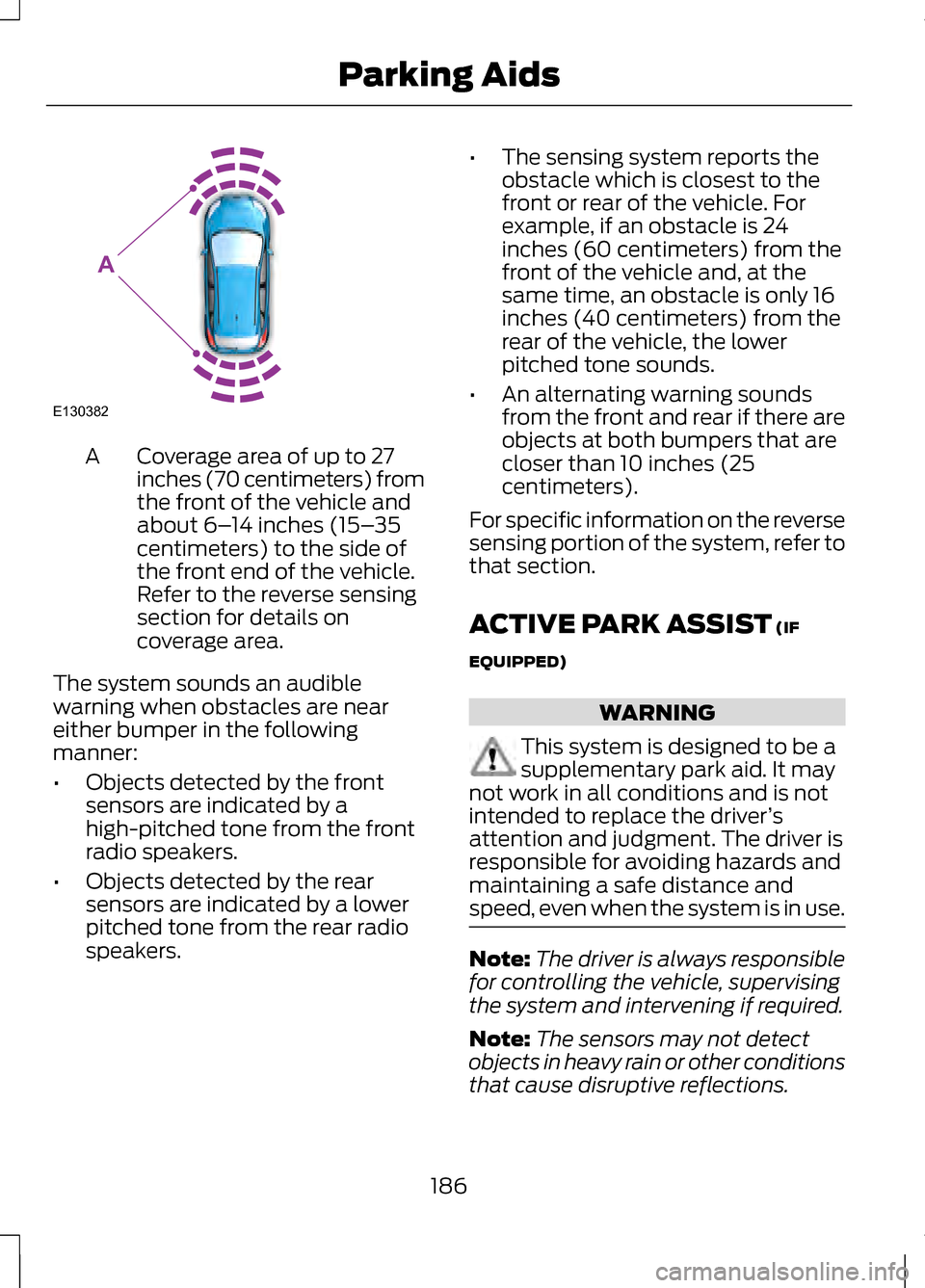
Coverage area of up to 27
inches (70 centimeters) from
the front of the vehicle and
about 6–
14 inches (15– 35
centimeters) to the side of
the front end of the vehicle.
Refer to the reverse sensing
section for details on
coverage area.
A
The system sounds an audible
warning when obstacles are near
either bumper in the following
manner:
• Objects detected by the front
sensors are indicated by a
high-pitched tone from the front
radio speakers.
• Objects detected by the rear
sensors are indicated by a lower
pitched tone from the rear radio
speakers. •
The sensing system reports the
obstacle which is closest to the
front or rear of the vehicle. For
example, if an obstacle is 24
inches (60 centimeters) from the
front of the vehicle and, at the
same time, an obstacle is only 16
inches (40 centimeters) from the
rear of the vehicle, the lower
pitched tone sounds.
• An alternating warning sounds
from the front and rear if there are
objects at both bumpers that are
closer than 10 inches (25
centimeters).
For specific information on the reverse
sensing portion of the system, refer to
that section.
ACTIVE PARK ASSIST (IF
EQUIPPED) WARNING
This system is designed to be a
supplementary park aid. It may
not work in all conditions and is not
intended to replace the driver ’s
attention and judgment. The driver is
responsible for avoiding hazards and
maintaining a safe distance and
speed, even when the system is in use. Note:
The driver is always responsible
for controlling the vehicle, supervising
the system and intervening if required.
Note: The sensors may not detect
objects in heavy rain or other conditions
that cause disruptive reflections.
186
Parking AidsE130382
A
Page 190 of 474
Note:
The sensors may not detect
objects with surfaces that absorb
ultrasonic waves.
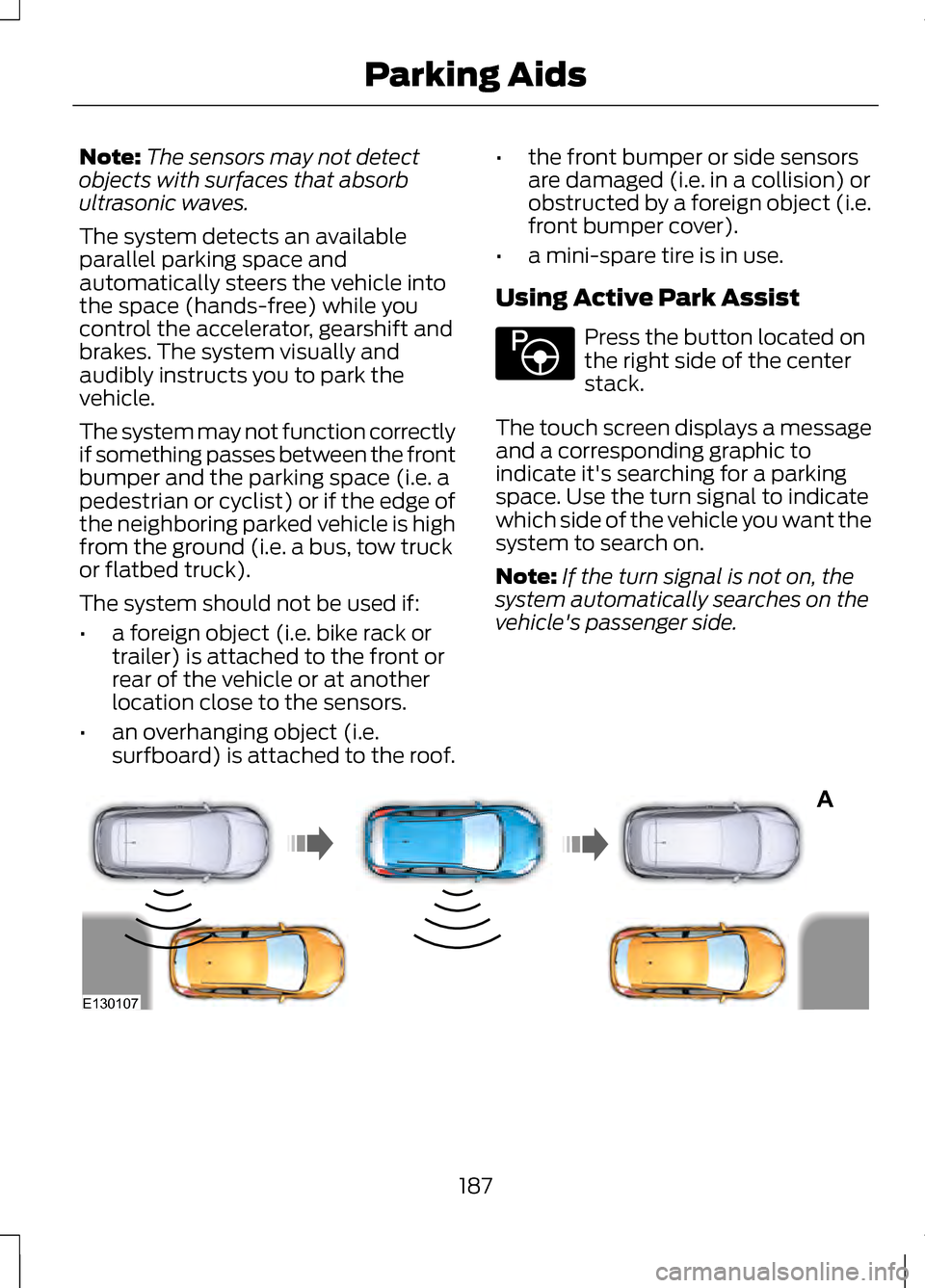
The system detects an available
parallel parking space and
automatically steers the vehicle into
the space (hands-free) while you
control the accelerator, gearshift and
brakes. The system visually and
audibly instructs you to park the
vehicle.
The system may not function correctly
if something passes between the front
bumper and the parking space (i.e. a
pedestrian or cyclist) or if the edge of
the neighboring parked vehicle is high
from the ground (i.e. a bus, tow truck
or flatbed truck).
The system should not be used if:
• a foreign object (i.e. bike rack or
trailer) is attached to the front or
rear of the vehicle or at another
location close to the sensors.
• an overhanging object (i.e.
surfboard) is attached to the roof. •
the front bumper or side sensors
are damaged (i.e. in a collision) or
obstructed by a foreign object (i.e.
front bumper cover).
• a mini-spare tire is in use.
Using Active Park Assist Press the button located on
the right side of the center
stack.
The touch screen displays a message
and a corresponding graphic to
indicate it's searching for a parking
space. Use the turn signal to indicate
which side of the vehicle you want the
system to search on.
Note: If the turn signal is not on, the
system automatically searches on the
vehicle's passenger side. 187
Parking AidsE146186 A
E130107
Page 194 of 474
REAR VIEW CAMERA (IF
EQUIPPED) WARNINGS
The rear view camera system is
a reverse aid supplement device
that still requires the driver to use it in
conjunction with the interior and
exterior mirrors for maximum
coverage. Objects that are close to either
corner of the bumper or under
the bumper, might not be seen on the
screen due to the limited coverage of
the camera system. Back up as slow as possible
since higher speeds might limit
your reaction time to stop the vehicle. Use caution when using the rear
video camera and the trunk is
ajar. If the trunk is ajar, the camera will
be out of position and the video image
may be incorrect. All guidelines (if
enabled) have been removed when
the trunk is ajar. Use caution when turning
camera features on or off while
in R (Reverse). Make sure the vehicle
is not moving. The rear view camera system provides
a video image of the area behind the
vehicle. The image will be displayed
in either in the rear view mirror or the
display in the center of the instrument
panel. During operation, lines appear in the
display which represent your vehicle
’s
path and proximity to objects behind
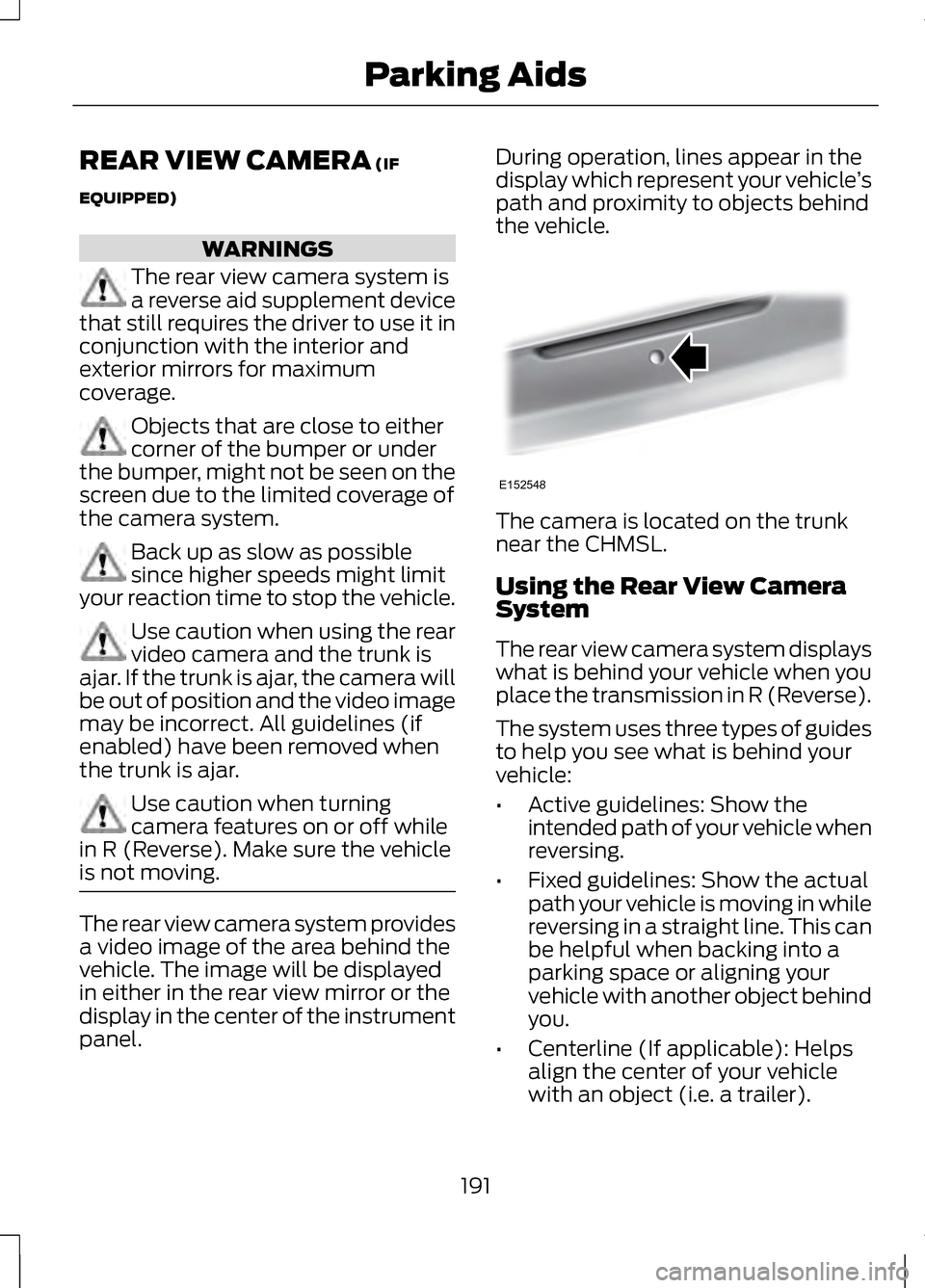
the vehicle. The camera is located on the trunk
near the CHMSL.
Using the Rear View Camera
System
The rear view camera system displays
what is behind your vehicle when you
place the transmission in R (Reverse).
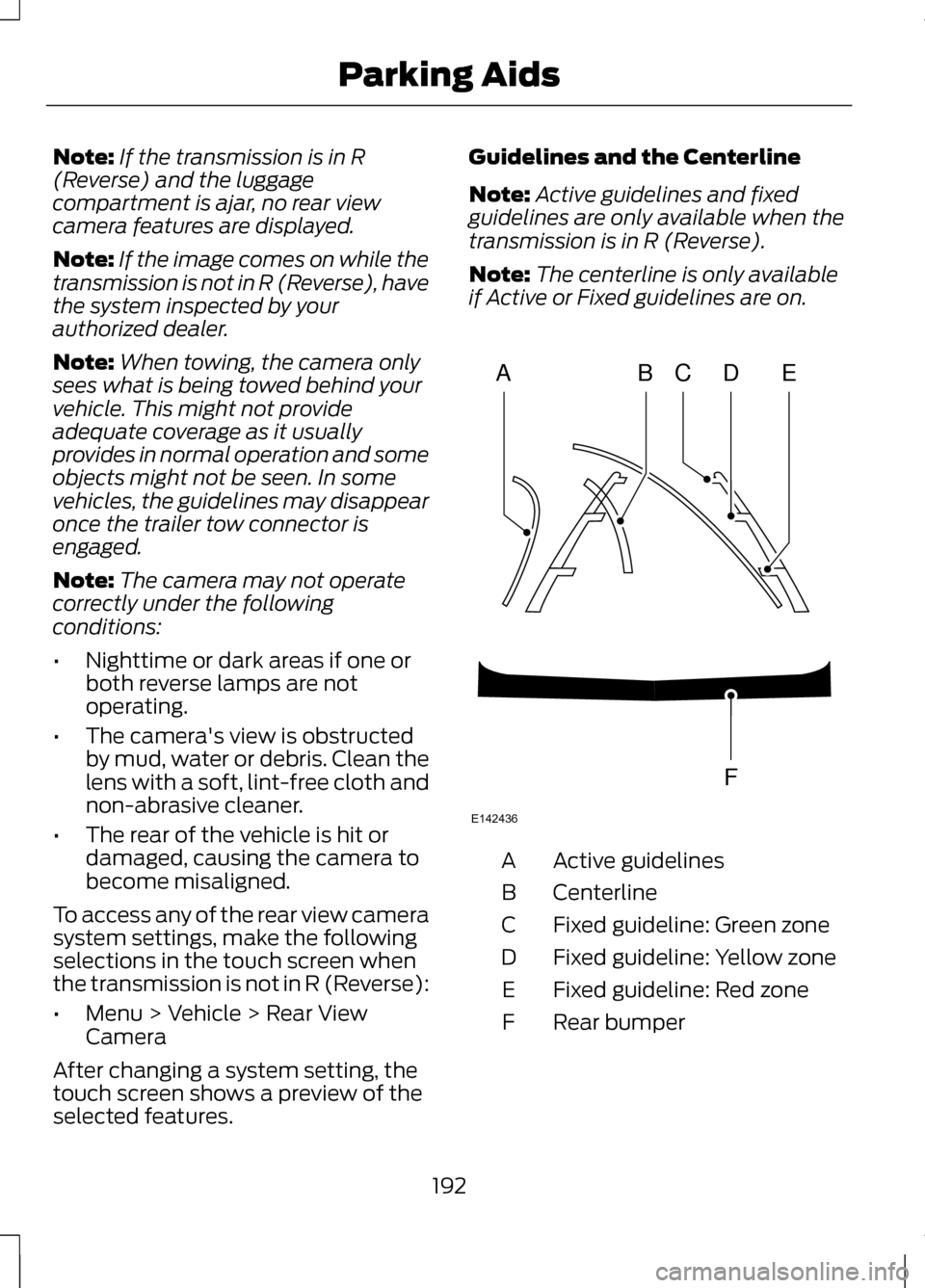
The system uses three types of guides
to help you see what is behind your
vehicle:
•
Active guidelines: Show the
intended path of your vehicle when
reversing.
• Fixed guidelines: Show the actual
path your vehicle is moving in while
reversing in a straight line. This can
be helpful when backing into a
parking space or aligning your
vehicle with another object behind
you.
• Centerline (If applicable): Helps
align the center of your vehicle
with an object (i.e. a trailer).
191
Parking AidsE152548
Page 195 of 474
Note:
If the transmission is in R
(Reverse) and the luggage
compartment is ajar, no rear view
camera features are displayed.
Note: If the image comes on while the
transmission is not in R (Reverse), have
the system inspected by your
authorized dealer.
Note: When towing, the camera only
sees what is being towed behind your
vehicle. This might not provide
adequate coverage as it usually
provides in normal operation and some
objects might not be seen. In some
vehicles, the guidelines may disappear
once the trailer tow connector is
engaged.
Note: The camera may not operate
correctly under the following
conditions:
• Nighttime or dark areas if one or
both reverse lamps are not
operating.
• The camera's view is obstructed
by mud, water or debris. Clean the
lens with a soft, lint-free cloth and
non-abrasive cleaner.
• The rear of the vehicle is hit or
damaged, causing the camera to
become misaligned.
To access any of the rear view camera
system settings, make the following
selections in the touch screen when
the transmission is not in R (Reverse):
• Menu > Vehicle > Rear View
Camera
After changing a system setting, the
touch screen shows a preview of the
selected features. Guidelines and the Centerline
Note:
Active guidelines and fixed
guidelines are only available when the
transmission is in R (Reverse).
Note: The centerline is only available
if Active or Fixed guidelines are on. Active guidelines
A
Centerline
B
Fixed guideline: Green zone
C
Fixed guideline: Yellow zone
D
Fixed guideline: Red zone
E
Rear bumper
F
192
Parking AidsABCD
F
E
E142436