Rear LINCOLN MKZ 2013 Service Manual
[x] Cancel search | Manufacturer: LINCOLN, Model Year: 2013, Model line: MKZ, Model: LINCOLN MKZ 2013Pages: 474, PDF Size: 3.79 MB
Page 132 of 474
Both heated mirrors remove ice, mist
and fog when you switch on the
heated rear window.
CABIN AIR FILTER
Your vehicle is equipped with a cabin
air filter. It is located behind the glove
box.
The particulate filtration system
reduces the concentration of airborne
particles such as dust, spores and
pollen in the air supplied to the interior
of your vehicle.
Note:
To prevent foreign objects from
entering the system, make sure the
cabin air is in place at all times.
Running the system without a filter in
place could result in degradation or
damage to the system.
The particulate filtration system gives
you and your passengers the following
benefits:
• It improves your driving comfort by
reducing particle concentration.
• It improves the interior
compartment cleanliness.
• It protects the climate control
components from particle
deposits.
Replace the filter at regular intervals.
See Scheduled Maintenance (page
440).
For additional cabin air filter
information, or to replace the filter,
see an authorized dealer. REMOTE START
The climate control system adjusts
the cabin temperature during remote
start.
You cannot adjust the system during
remote start operation. Turn the
ignition on to return the system to its
previous settings. You can now make
adjustments. You need to turn certain
vehicle-dependent features back on,
such as:
•
heated seats
• cooled seats
• heated steering wheel
• heated mirrors
• heated rear window.
You can adjust the settings using the
information display controls.
See
Information Displays (page 100).
Automatic Settings
You can set the climate control to
operate in AUTO mode through the
information display setting: Remote
Start > Climate Control > Heater-A/C
> Auto. The climate control system
automatically sets the interior
temperature to 72°F (22°C).
In hot weather, the system is set to
72°F (22°C). Cooled seats are set to
high (if available, and selected to
AUTO in the information display).
In moderate weather, the system
either heats or cools (based on
previous settings). The rear defroster,
heated mirrors and heated/cooled
seats do not automatically turn on.
129
Climate Control
Page 133 of 474
In cold weather, the system is set to
72°F (22°C). The heated seats and
heated steering wheel are set to high
(if available, and selected to AUTO in
the information display). The rear
defroster and heated mirrors
automatically turn on.
Last Settings
You can set the climate control to
operate using the last climate control
settings through the information
display setting: Remote Start >
Climate Control > Heater
–A/C > Last
Settings. The climate control system
automatically uses the settings last
selected before turning off the vehicle.
Heated and Cooled Devices
The climate control system controls
other heated and cooled devices
inside the vehicle. These devices (if
available and selected to AUTO in the
information displays) may switch on
during remote start. Heated devices
typically switch on during cold
weather, and cooled devices during
hot weather.
130
Climate Control
Page 135 of 474
WARNINGS
The head restraint is a safety
device. Whenever possible it
should be installed and properly
adjusted when the seat is occupied. Install the head restraint properly
to help minimize the risk of neck
injury in the event of a collision. Note:
Adjust the seat back to an
upright driving position before adjusting
the head restraint. Adjust the head
restraint so that the top of it is level
with the top of your head and as far
forward as possible. Make sure that you
remain comfortable. If you are
extremely tall, adjust the head restraint
to its highest position.
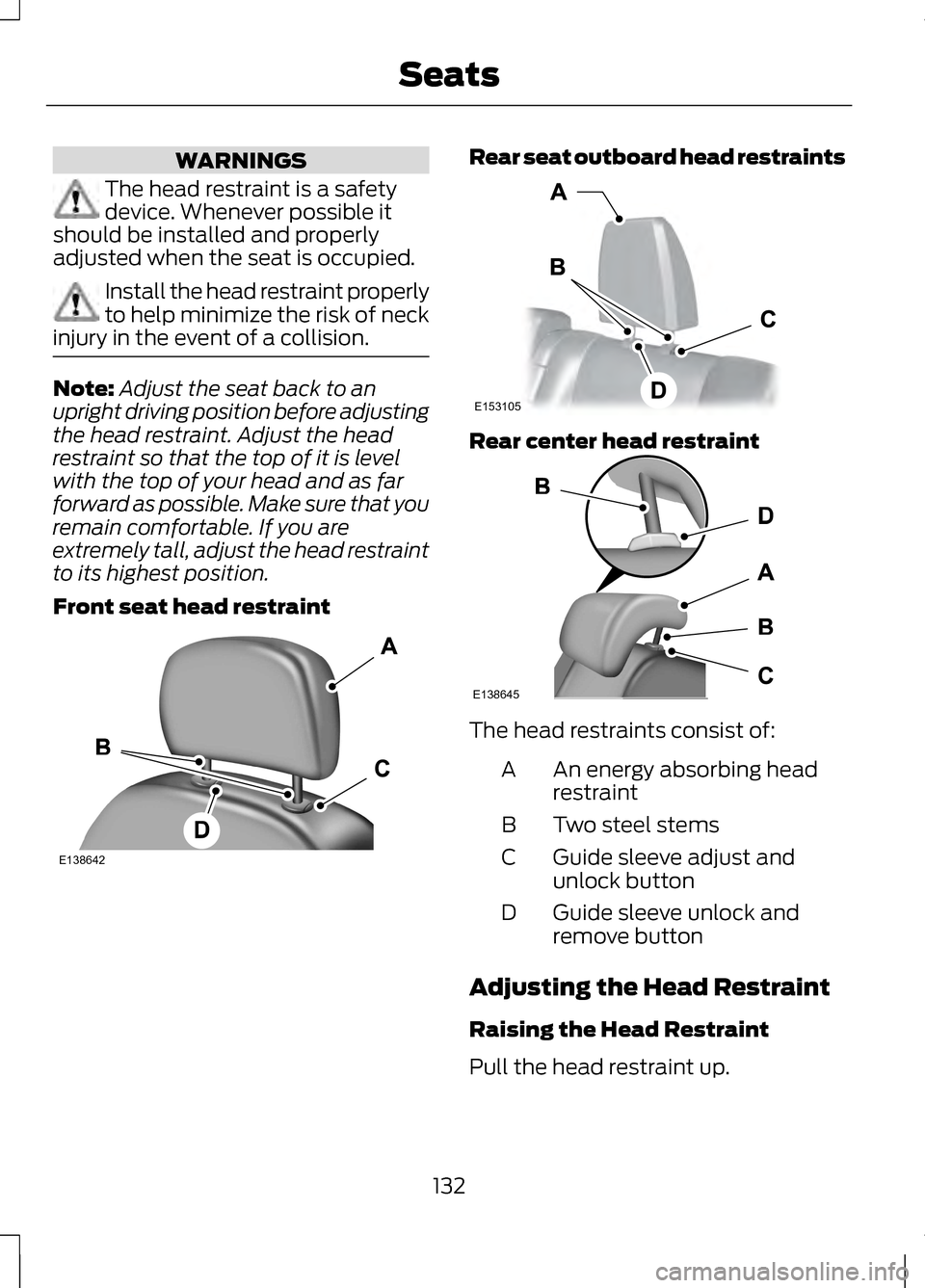
Front seat head restraint Rear seat outboard head restraints
Rear center head restraint
The head restraints consist of:
An energy absorbing head
restraint
A
Two steel stems
B
Guide sleeve adjust and
unlock button
C
Guide sleeve unlock and
remove button
D
Adjusting the Head Restraint
Raising the Head Restraint
Pull the head restraint up.
132
SeatsE138642 E153105 E138645
Page 136 of 474
Lowering the Head Restraint
1. Press and hold button C.
2. Push the head restraint down.
Removing the Head Restraint
1. Pull the head restraint up until it
reaches its highest position.
2. Press and hold buttons C and D.
3. Pull the head restraint up.
Installing the Head Restraint
Align the steel stems into the guide
sleeves and push the head restraint
down until it locks.
Tilting Head Restraints (If
Equipped)
The front head restraints may have a
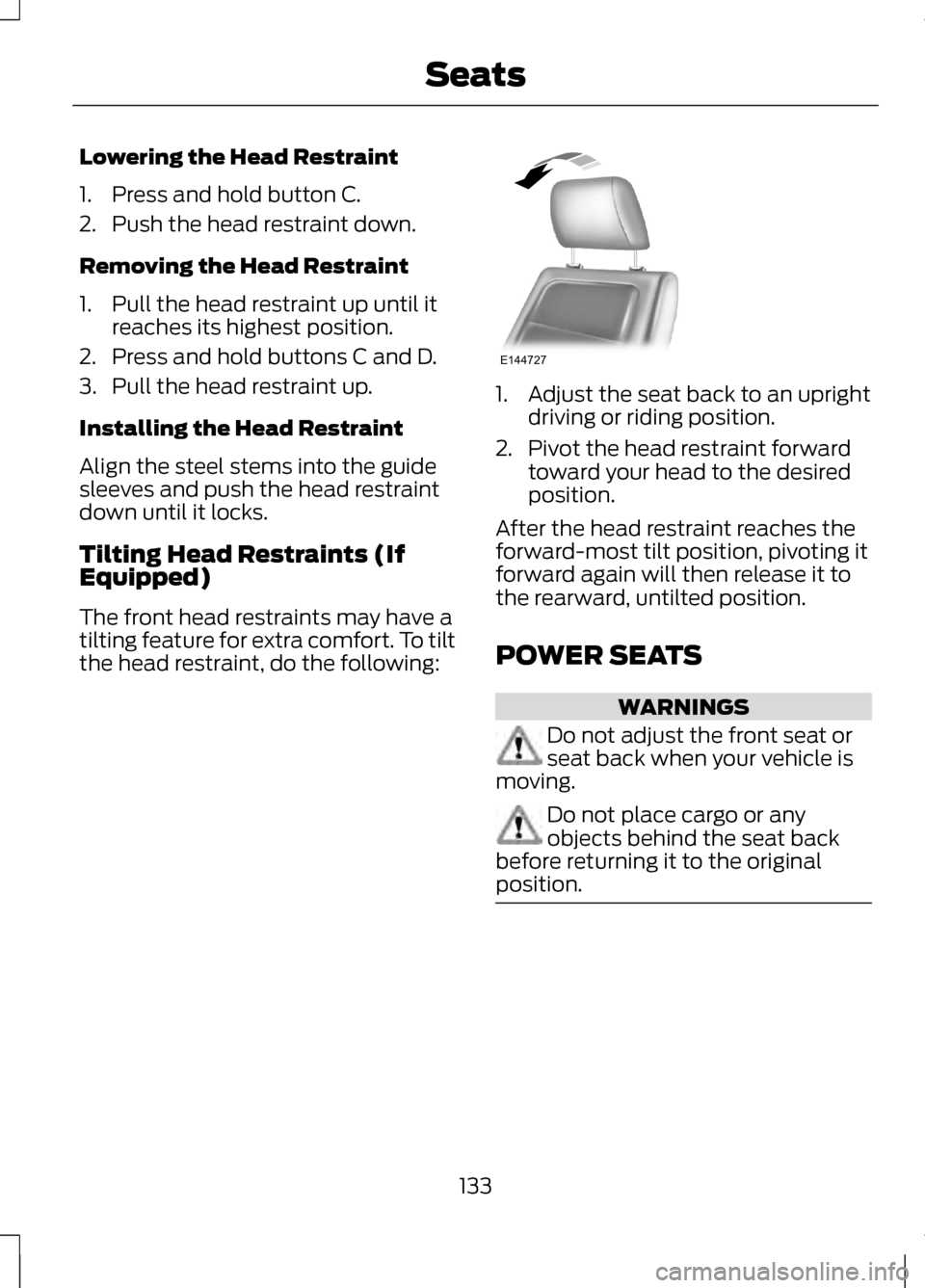
tilting feature for extra comfort. To tilt
the head restraint, do the following: 1. Adjust the seat back to an upright
driving or riding position.
2. Pivot the head restraint forward toward your head to the desired
position.
After the head restraint reaches the
forward-most tilt position, pivoting it
forward again will then release it to
the rearward, untilted position.
POWER SEATS WARNINGS
Do not adjust the front seat or
seat back when your vehicle is
moving. Do not place cargo or any
objects behind the seat back
before returning it to the original
position. 133
SeatsE144727
Page 140 of 474
Note:
If more than one linked remote
control or IA key is in range, the memory
function will move to the settings of
the first key stored.
Easy Entry and Exit Function
If the easy entry and exit feature is
enabled, this feature automatically
moves the driver seat position
rearward up to five centimeters when
the transmission selector lever is in
position P and the key is removed or
the keyless start ignition is turned off.
The driver seat will return to the
previous position when the key is put
in the ignition or the keyless start
ignition is activated.
The easy entry and exit feature can
be turned on or off using the driver
information display.
REAR SEATS
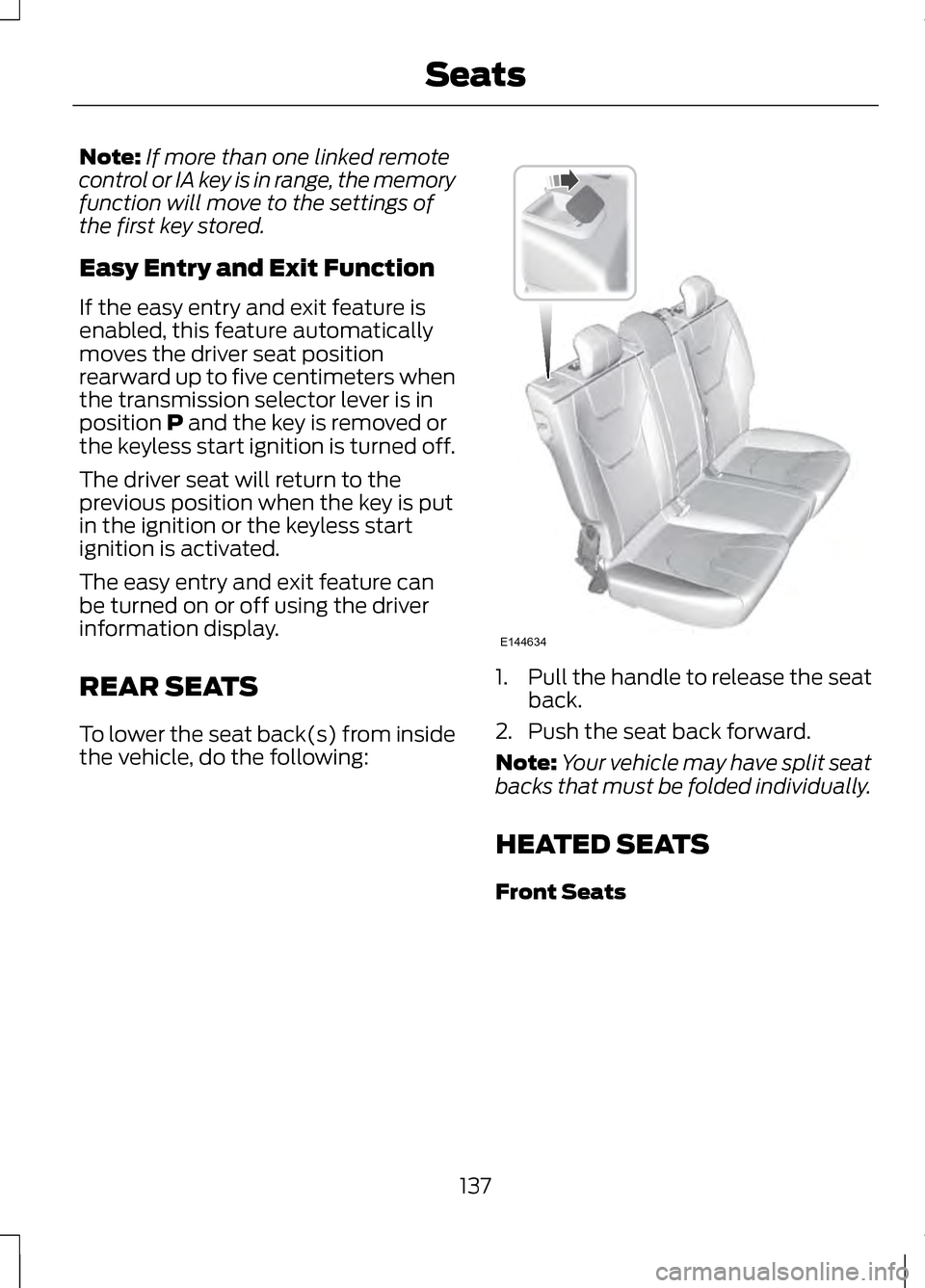
To lower the seat back(s) from inside
the vehicle, do the following: 1.
Pull the handle to release the seat
back.
2. Push the seat back forward.
Note: Your vehicle may have split seat
backs that must be folded individually.
HEATED SEATS
Front Seats
137
SeatsE144634
Page 141 of 474
WARNING
People who are unable to feel
pain to their skin because of
advanced age, chronic illness,
diabetes, spinal cord injury,
medication, alcohol use, exhaustion
or other physical conditions, must
exercise care when using the heated
seat. The heated seat may cause
burns even at low temperatures,
especially if used for long periods of
time. Do not place anything on the
seat that insulates against heat, such
as a blanket or cushion. This may
cause the heated seat to overheat. Do
not puncture the seat with pins,
needles or other pointed objects. This
may damage the heating element
which may cause the heated seat to
overheat. An overheated seat may
cause serious personal injury. Do not do the following:
•
Place heavy objects on the seat.
• Operate the heated seat if water
or any other liquid is spilled on the
seat. Allow the seat to dry
thoroughly.
• Operate the heated seats unless
the engine is running. Doing so can
cause the battery to lose charge. Press the heated seat symbol to cycle
through the various heat settings and
off. Warmer settings are indicated by
more indicator lights.
Rear Heated Seats (If Equipped)
WARNING
Persons who are unable to feel
pain to the skin because of
advanced age, chronic illness,
diabetes, spinal cord injury,
medication, alcohol use, exhaustion,
or other physical conditions, must
exercise care when using the seat
heater. The seat heater may cause
burns even at low temperatures,
especially if used for long periods of
time. Do not place anything on the
seat that insulates against heat, such
as a blanket or cushion, because this
may cause the seat heater to
overheat. Do not puncture the seat
with pins, needles, or other pointed
objects because this may damage the
heating element which may cause the
seat heater to overheat. An
overheated seat may cause serious
personal injury. Note:
Do not do the following:
• Place heavy objects on the seat.
• Operate the seat heater if water or
any other liquid is spilled on the
seat. Allow the seat to dry
thoroughly.
The rear seat heat controls are
located on the rear of the center
console.
138
SeatsE146322
Page 143 of 474
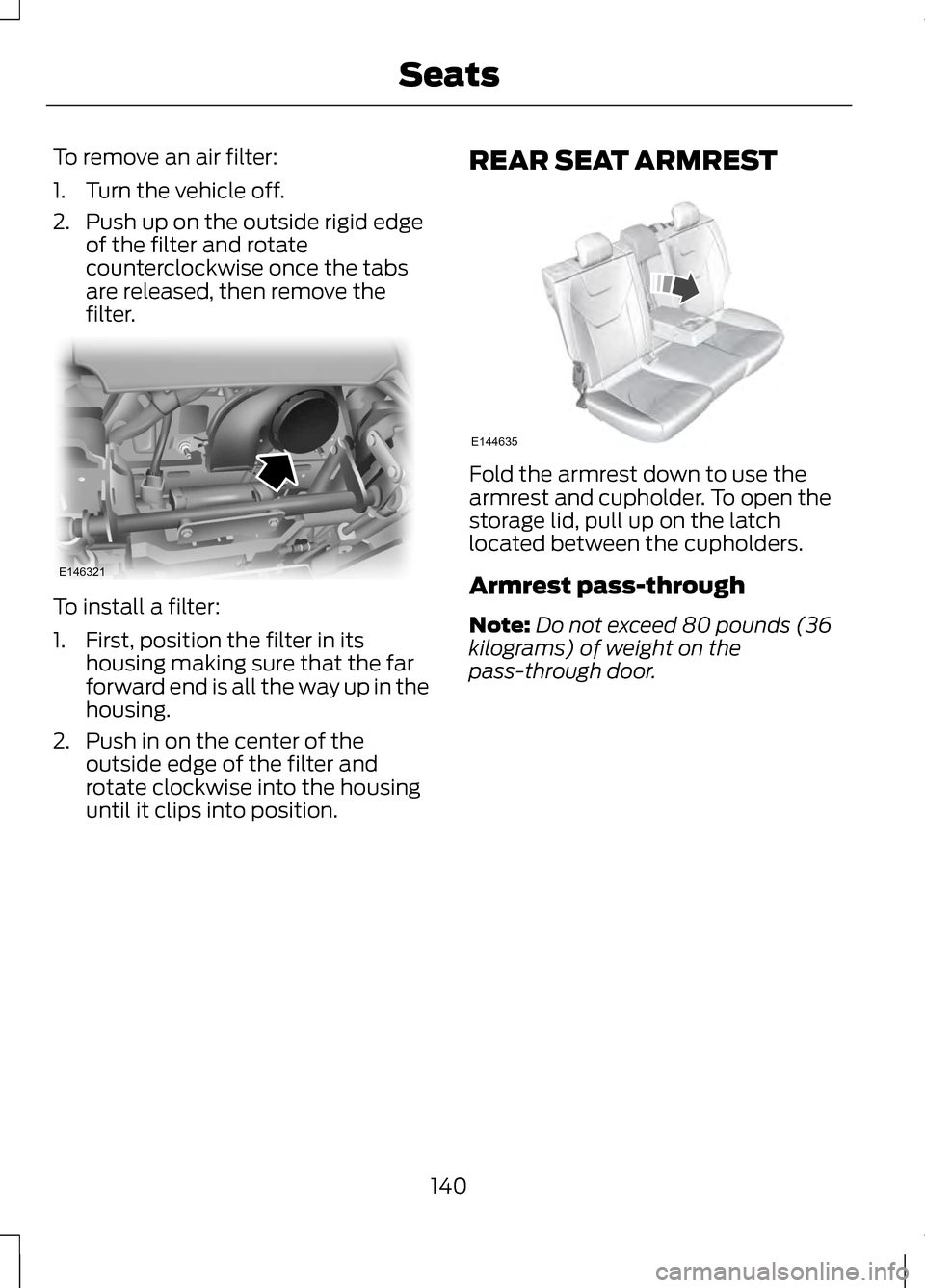
To remove an air filter:
1. Turn the vehicle off.
2. Push up on the outside rigid edge
of the filter and rotate
counterclockwise once the tabs
are released, then remove the
filter. To install a filter:
1. First, position the filter in its
housing making sure that the far
forward end is all the way up in the
housing.
2. Push in on the center of the outside edge of the filter and
rotate clockwise into the housing
until it clips into position. REAR SEAT ARMREST Fold the armrest down to use the
armrest and cupholder. To open the
storage lid, pull up on the latch
located between the cupholders.
Armrest pass-through
Note:
Do not exceed 80 pounds (36
kilograms) of weight on the
pass-through door.
140
SeatsE146321 E144635
Page 150 of 474
12 Volt DC Power Point
WARNING
Do not plug optional electrical
accessories into the cigar lighter
socket (if equipped). Improper use of
the lighter can cause damage not
covered by your warranty, and can
result in fire or serious injury. Note:
If used when the engine is not
running, the battery will discharge.
There may be insufficient power to
restart your engine.
Note: Do not insert objects other than
an accessory plug into the power point.
This will damage the outlet and blow
the fuse.
Note: Do not hang any type of
accessory or accessory bracket from
the plug.
Note: Do not use the power point over
the vehicle capacity of 12 volt DC 180
watts or a fuse may blow.
Note: Do not use the power point for
operating a cigar lighter element.
Note: Improper use of the power point
can cause damage not covered by your
warranty.
Note: Always keep the power point
caps closed when not in use.
Run the engine for full capacity use of
the power point. To prevent the
battery from being discharged: •
Do not use the power point longer
than necessary when the engine is
not running.
• Do not leave devices plugged in
overnight or when the vehicle is
parked for extended periods.
Locations
Power points may be found:
• in the front of the center console
• inside the center console storage
bin
• on the rear of the center console.
110 Volt AC Power Point (If
Equipped) WARNING
Do not keep electrical devices
plugged in the power point
whenever the device is not in use. Do
not use any extension cord with the
110 volt AC power point, since it will
defeat the safety protection design.
Doing so my cause the power point to
overload due to powering multiple
devices that can reach beyond the 150
watt load limit and could result in fire
or serious injury. Note:
Keep the engine running to use
the power point.
147
Auxiliary Power Points
Page 151 of 474
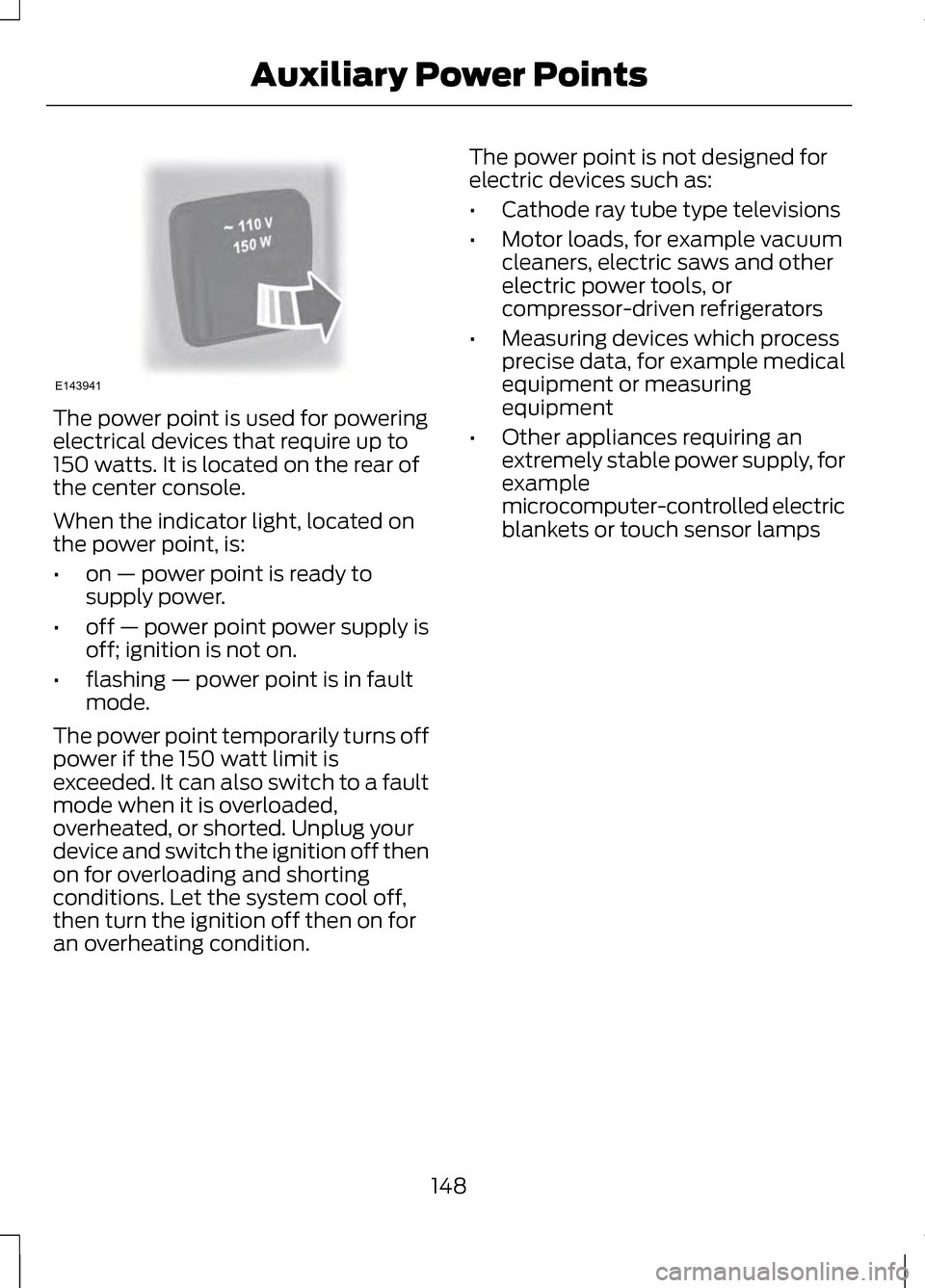
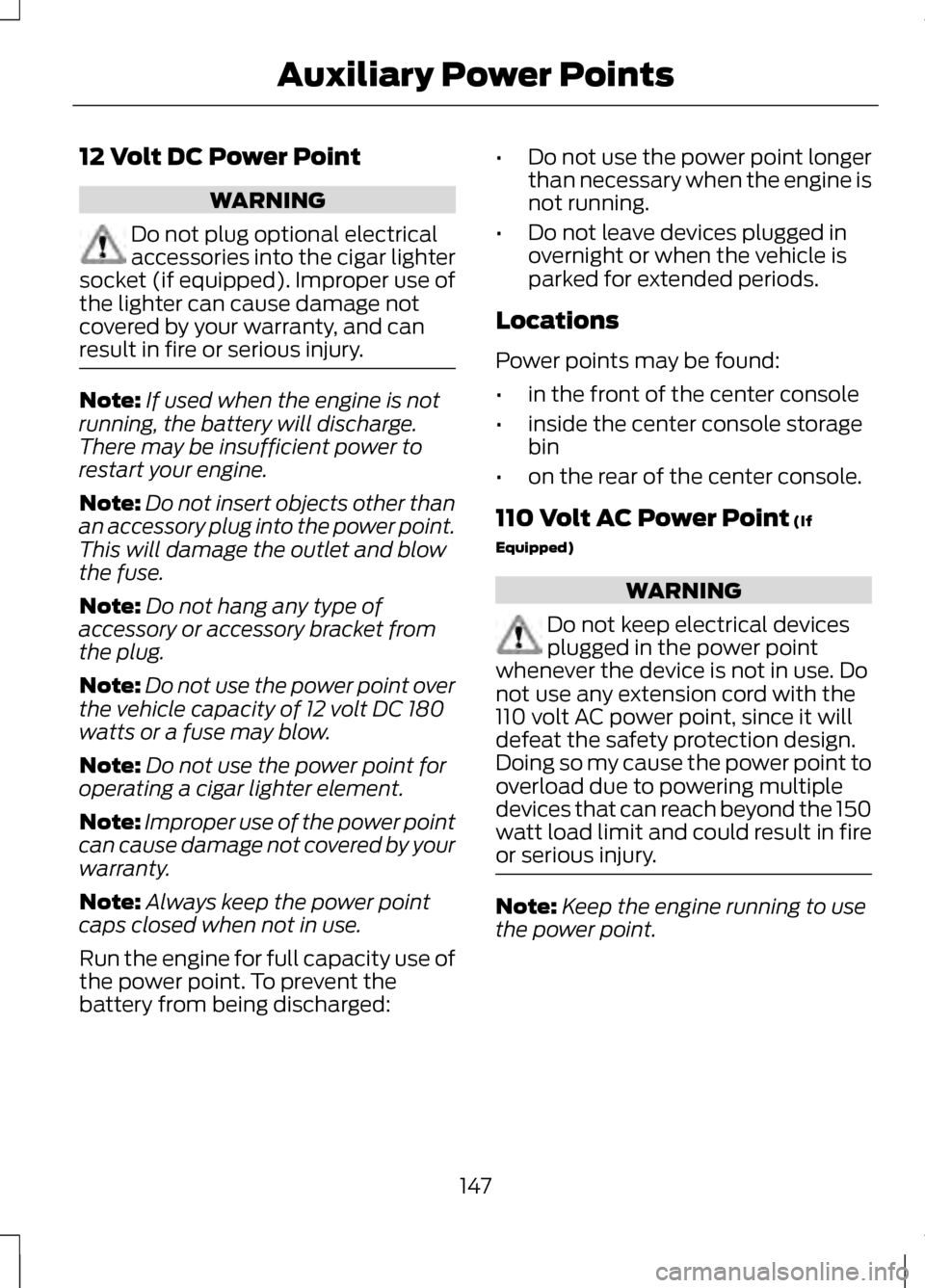
The power point is used for powering
electrical devices that require up to
150 watts. It is located on the rear of
the center console.
When the indicator light, located on
the power point, is:
•
on — power point is ready to
supply power.
• off — power point power supply is
off; ignition is not on.
• flashing — power point is in fault
mode.
The power point temporarily turns off
power if the 150 watt limit is
exceeded. It can also switch to a fault
mode when it is overloaded,
overheated, or shorted. Unplug your
device and switch the ignition off then
on for overloading and shorting
conditions. Let the system cool off,
then turn the ignition off then on for
an overheating condition. The power point is not designed for
electric devices such as:
•
Cathode ray tube type televisions
• Motor loads, for example vacuum
cleaners, electric saws and other
electric power tools, or
compressor-driven refrigerators
• Measuring devices which process
precise data, for example medical
equipment or measuring
equipment
• Other appliances requiring an
extremely stable power supply, for
example
microcomputer-controlled electric
blankets or touch sensor lamps
148
Auxiliary Power PointsE143941
Page 152 of 474
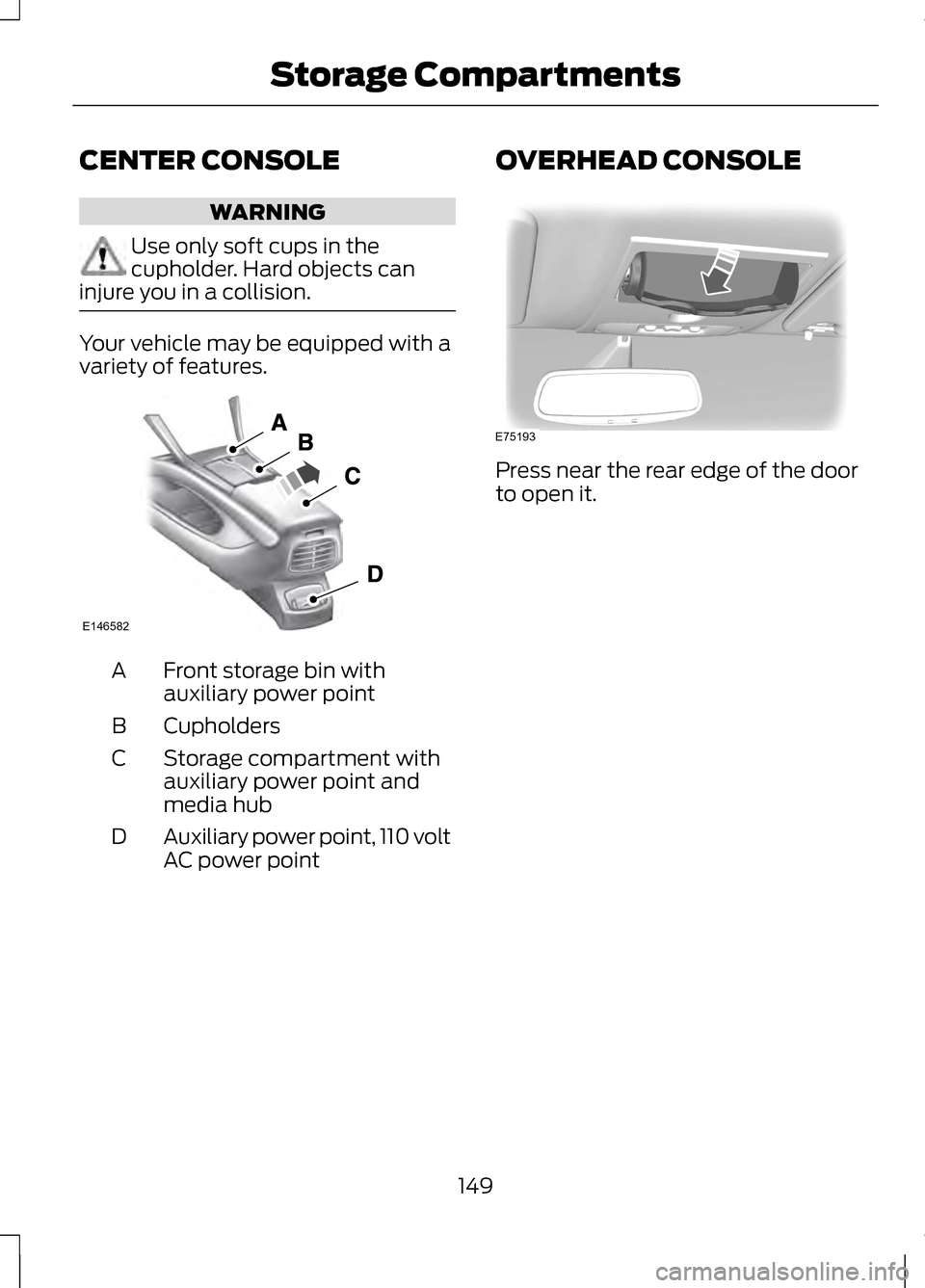
CENTER CONSOLE
WARNING
Use only soft cups in the
cupholder. Hard objects can
injure you in a collision. Your vehicle may be equipped with a
variety of features.
Front storage bin with
auxiliary power point
A
Cupholders
B
Storage compartment with
auxiliary power point and
media hub
C
Auxiliary power point, 110 volt
AC power point
D OVERHEAD CONSOLE Press near the rear edge of the door
to open it.
149
Storage CompartmentsE146582 E75193