light TOYOTA SUPRA 2022 Repair Manual
[x] Cancel search | Manufacturer: TOYOTA, Model Year: 2022, Model line: SUPRA, Model: TOYOTA SUPRA 2022Pages: 498, PDF Size: 104.06 MB
Page 233 of 498
231
3
3-1. CONTROLS
CONTROLS
what limited driving stability.
Activating Traction mode provides
maximum traction. Driving stability
during acceleration and cornering is
limited.
Activating Traction mode briefly
may be useful in the following situa-
tions:
When driving in slush or on
uncleared, snow-covered roads.
When starting in deep snow or
on a loose surface.
When driving with snow chains.
When Traction mode is activated,
TRACTION is displayed in the
instrument cluster.
In certain situations, VSC is acti-
vated automatically:
If Dynamic radar cruise control
with full-speed range is acti-
vated.
General
Overview
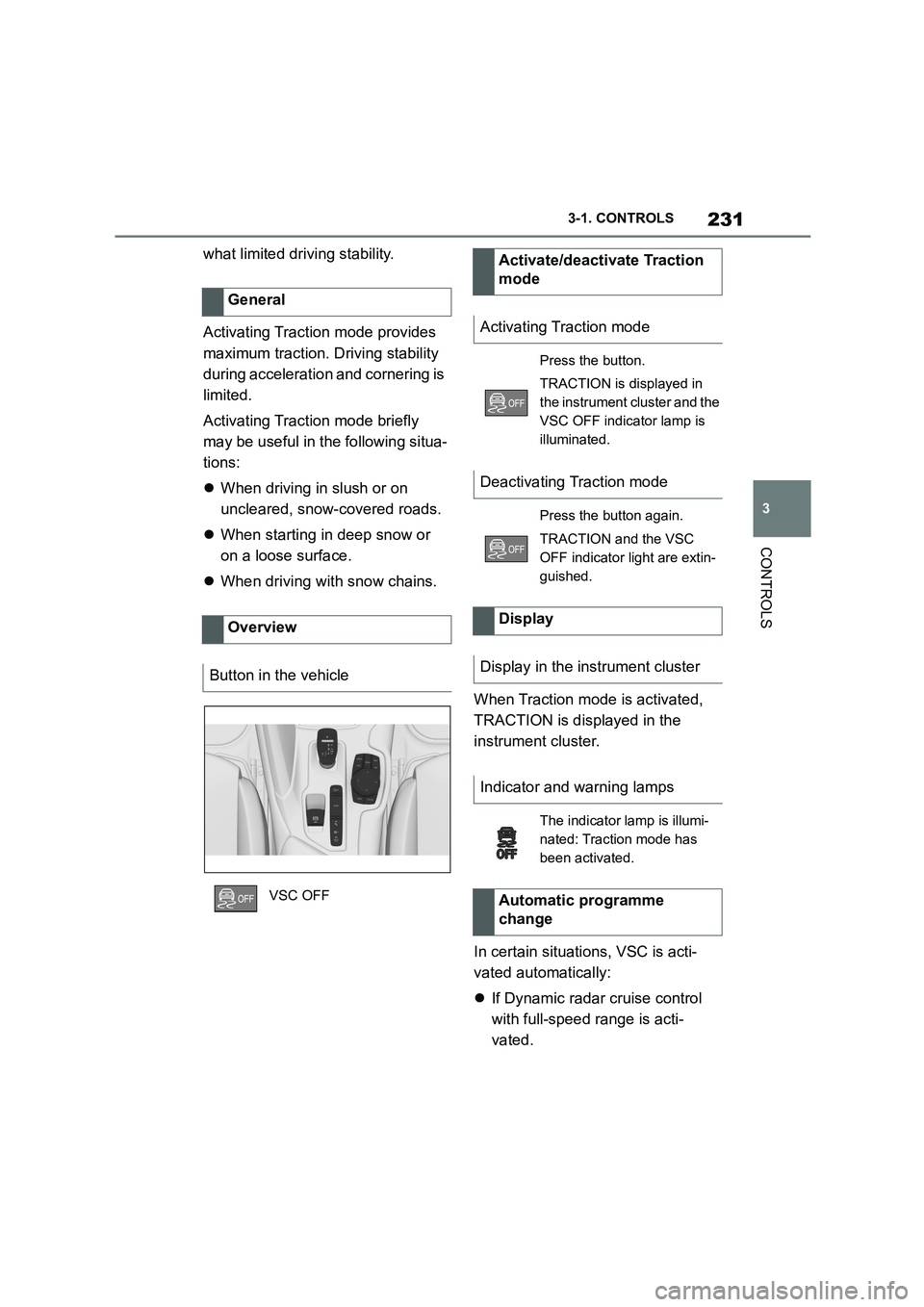
Button in the vehicle
VSC OFF
Activate/deactivate Traction
mode
Activating Traction mode
Press the button.
TRACTION is displayed in
the instrument cluster and the
VSC OFF indicator lamp is
illuminated.
Deactivating Traction mode
Press the button again.
TRACTION and the VSC
OFF indicator light are extin-
guished.
Display
Display in the instrument cluster
Indicator and warning lamps
The indicator lamp is illumi-
nated: Traction mode has
been activated.
Automatic programme
change
Page 247 of 498
245
3
3-1. CONTROLS
CONTROLS
road users.
For red traffic lights.
For crossing traffic.
For oncoming vehicles.
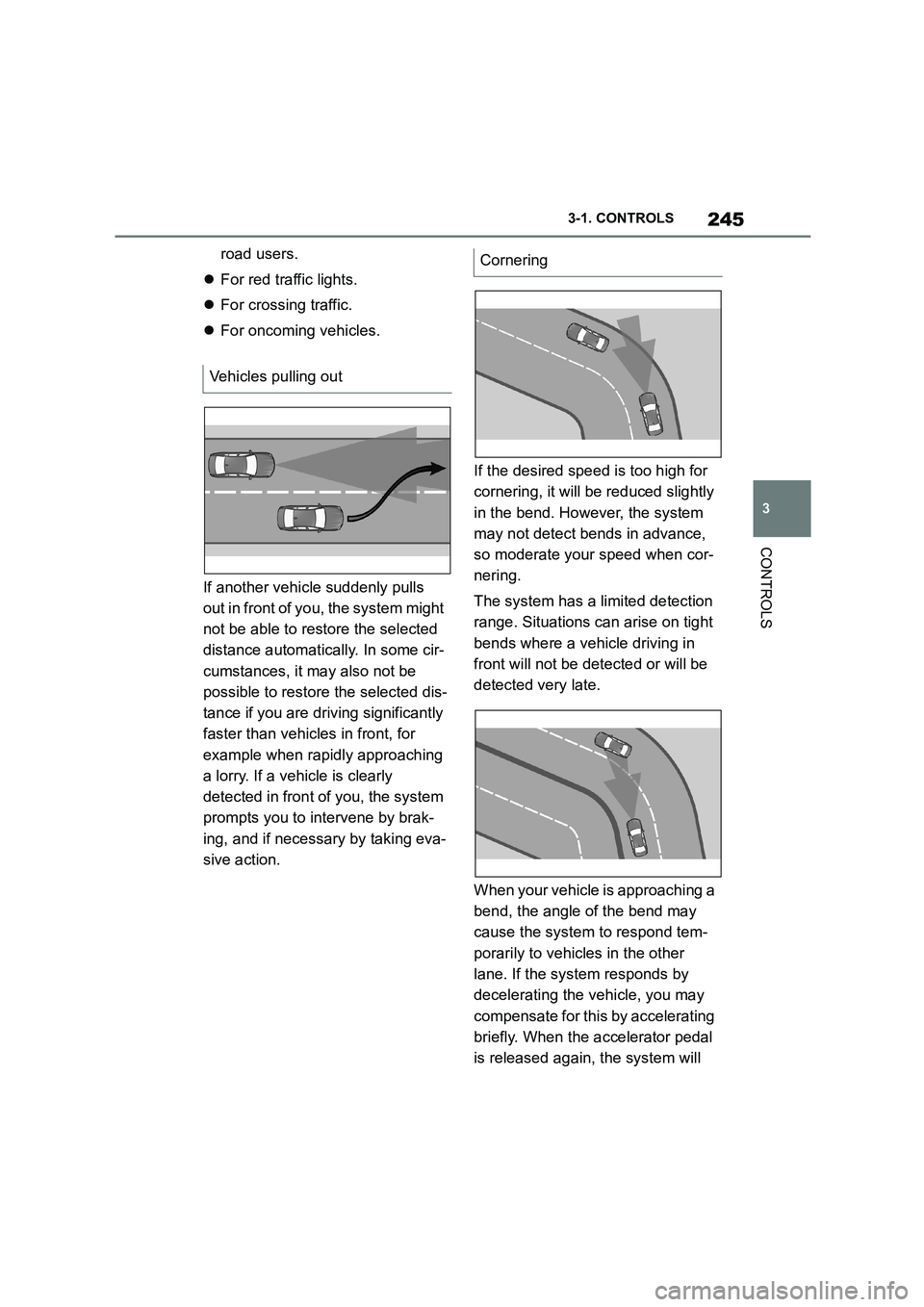
If another vehicle suddenly pulls
out in front of you, the system might
not be able to restore the selected
distance automatically. In some cir-
cumstances, it may also not be
possible to restore the selected dis-
tance if you are driving significantly
faster than vehicles in front, for
example when rapidly approaching
a lorry. If a vehicle is clearly
detected in front of you, the system
prompts you to intervene by brak-
ing, and if necessary by taking eva-
sive action.
If the desired speed is too high for
cornering, it will be reduced slightly
in the bend. However, the system
may not detect bends in advance,
so moderate your speed when cor-
nering.
The system has a limited detection
range. Situations can arise on tight
bends where a vehicle driving in
front will not be detected or will be
detected very late.
When your vehicle is approaching a
bend, the angle of the bend may
cause the system to respond tem-
porarily to vehicles in the other
lane. If the system responds by
decelerating the vehicle, you may
compensate for this by accelerating
briefly. When the accelerator pedal
is released again, the system will
Vehicles pulling out
Cornering
Page 248 of 498
2463-1. CONTROLS
resume control of the vehicle's
speed.
The vehicle cannot drive off auto-
matically in some situations, for
example:
On steep upward gradients.
Before bumps or rises in the
road.
In such cases, de press the acceler-
ator pedal.
The following restrictions may apply
if the weather or lighting conditions
are unfavourable:
Impaired detection of vehicles.
Brief interruptions when vehicles
have already been detected.
Examples of unfavourable weather
or lighting conditions:
Wet roads.
Snowfall.
Slush.
Fog.
Oncoming light.
Pay attention when driving and
respond to the prev ailing traffic con-
ditions. If necessary, intervene
actively, for example by braking,
steering or taking evasive action.
The desired speed is also main-
tained when driving downhill. The
vehicle may drive slower than the
desired speed on uphill gradients if
there is not enough engine power.
*: if equipped
When the systems in the vehicle
(Speed Limit Info, for example)
detect a change in the speed limit
on the route, it is possible to adopt
this new speed lim it value for the
following systems:
Manual Speed Limiter.
Cruise Control.
Dynamic radar cruise control
with full-speed range.
The speed value is proposed as a
new desired speed for adopting.
The relevant system must be acti-
vated for the speed value to be
adopted.
Driving off
Weather
Engine power
Speed Limit Assist*
Principle
Page 253 of 498
251
3
3-1. CONTROLS
CONTROLS
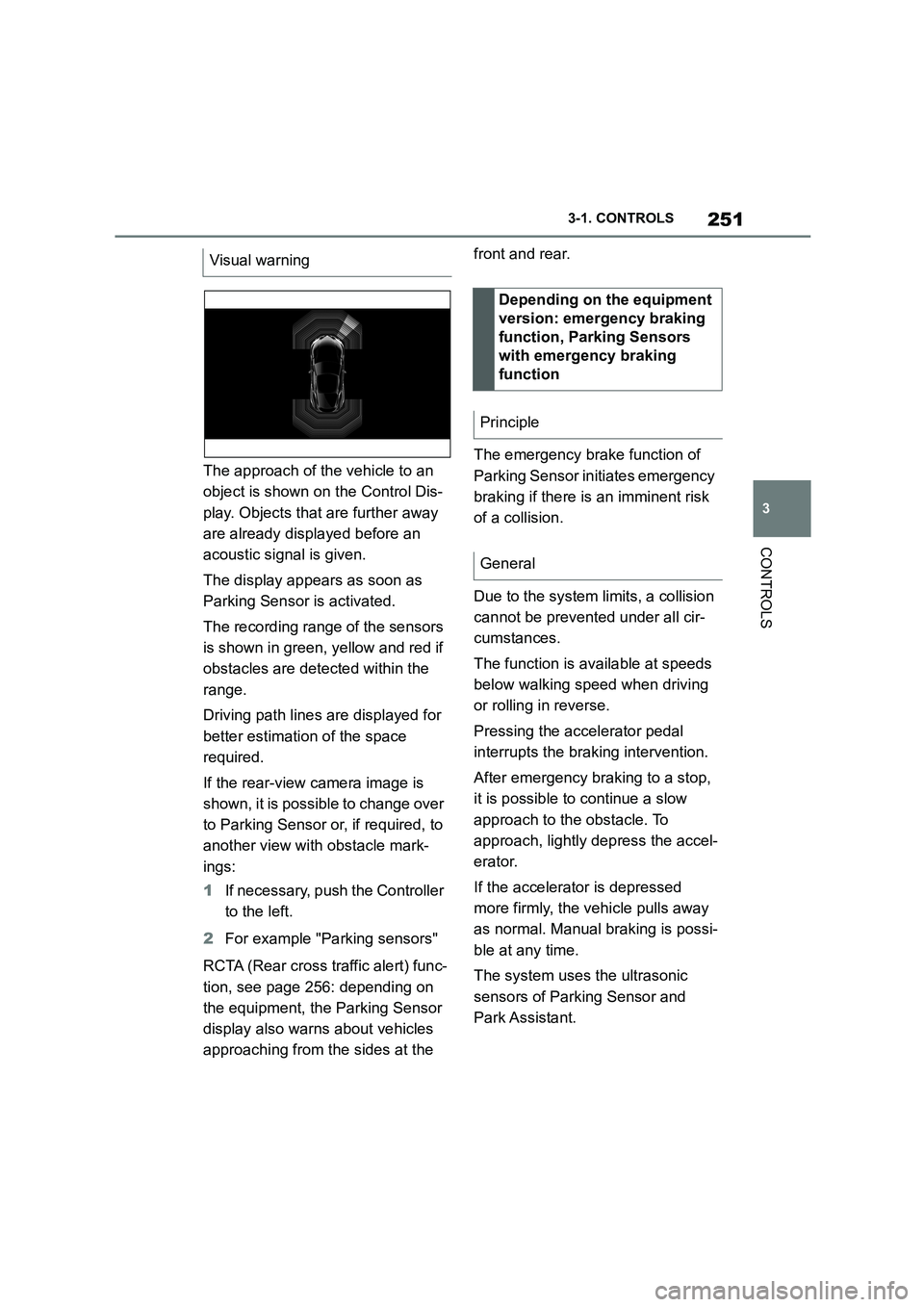
The approach of the vehicle to an
object is shown on the Control Dis-
play. Objects that are further away
are already displayed before an
acoustic signal is given.
The display appears as soon as
Parking Sensor is activated.
The recording range of the sensors
is shown in green, yellow and red if
obstacles are detected within the
range.
Driving path lines are displayed for
better estimation of the space
required.
If the rear-view camera image is
shown, it is possible to change over
to Parking Sensor or, if required, to
another view with obstacle mark-
ings:
1 If necessary, push the Controller
to the left.
2 For example "Parking sensors"
RCTA (Rear cross traffic alert) func-
tion, see page 256: depending on
the equipment, the Parking Sensor
display also warn s about vehicles
approaching from the sides at the
front and rear.
The emergency brake function of
Parking Sensor in itiates emergency
braking if there is an imminent risk
of a collision.
Due to the system limits, a collision
cannot be prevented under all cir-
cumstances.
The function is available at speeds
below walking speed when driving
or rolling in reverse.
Pressing the accelerator pedal
interrupts the braking intervention.
After emergency braking to a stop,
it is possible to continue a slow
approach to the obstacle. To
approach, lightly depress the accel-
erator.
If the accelerator is depressed
more firmly, the vehicle pulls away
as normal. Manual braking is possi-
ble at any time.
The system uses the ultrasonic
sensors of Parking Sensor and
Park Assistant.
Visual warning
Depending on the equipment
version: emergency braking
function, Parking Sensors
with emergency braking
function
Principle
General
Page 260 of 498
2583-1. CONTROLS
2"Vehicle settings"
3 "Parking"
4 "Cross-traffic alert"
5 "Cross-traffic alert"
If the system was activated on the
Control Display, it is switched on
automatically as soon as Parking
Sensors or Panorama View is
active and a gear is engaged.
The system is switched on at the
rear when reverse gear is engaged.
The system switches off automati-
cally in the following situations:
If walking speed is exceeded.
When a certain distance is
exceeded.
During active parking with the
Park Assistant.
The Control Display shows the cor-
responding display, an acoustic sig-
nal may sound and the light in the
exterior mirror flashes.
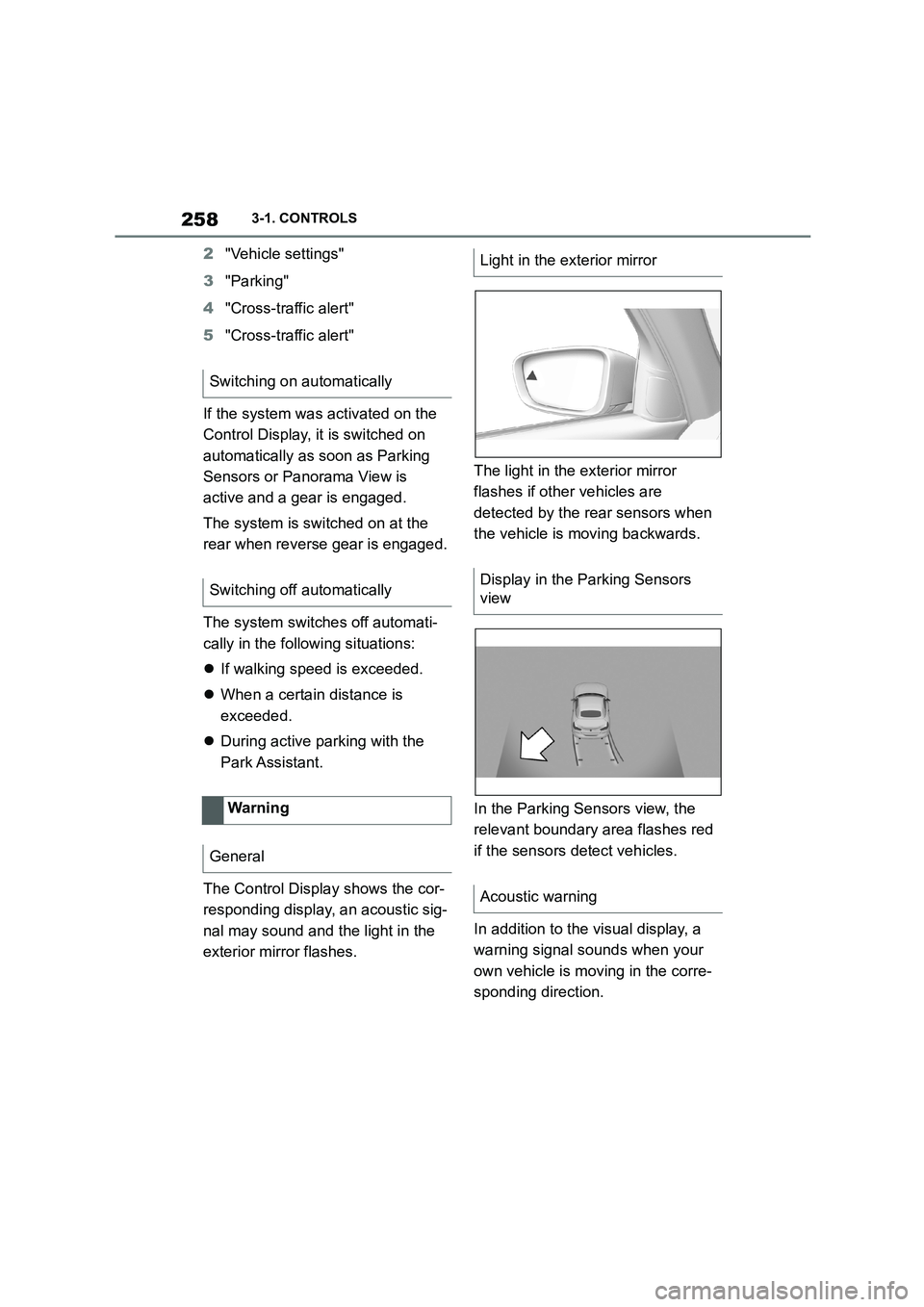
The light in the exterior mirror
flashes if other vehicles are
detected by the rear sensors when
the vehicle is moving backwards.
In the Parking Sensors view, the
relevant boundary area flashes red
if the sensors detect vehicles.
In addition to the visual display, a
warning signal sounds when your
own vehicle is moving in the corre-
sponding direction.
Switching on automatically
Switching off automatically
Warning
General
Light in the exterior mirror
Display in the Parking Sensors
view
Acoustic warning
Page 271 of 498
269
3
3-1. CONTROLS
CONTROLS
departure time has been activated.
This chapter describes all standard,
country-specific and special equip-
ment available for the model series.
It may therefore describe equip-
ment and functions which are not
installed in your vehicle, for exam-
ple on account of the special equip-
ment selected or the country
specification. This also applies to
safety-relevant functions and sys-
tems. Please comply with the rele-
vant laws and regulations when
using the corresponding functions
and systems.
Fold the sun visor downwards or
upwards.
A vanity mirror is located behind a
cover in the sun visor. The mirror
light switches on when the cover is
opened.
The cigarette lighter attachment
can be used as a socket for electri-
Interior equipment
Vehicle equipment
Sun visor
Glare protection
Vanity mirror
Power sockets
Principle
Page 276 of 498
2743-1. CONTROLS
The vehicle interior contains multi-
ple storage compartments for stow-
ing objects.
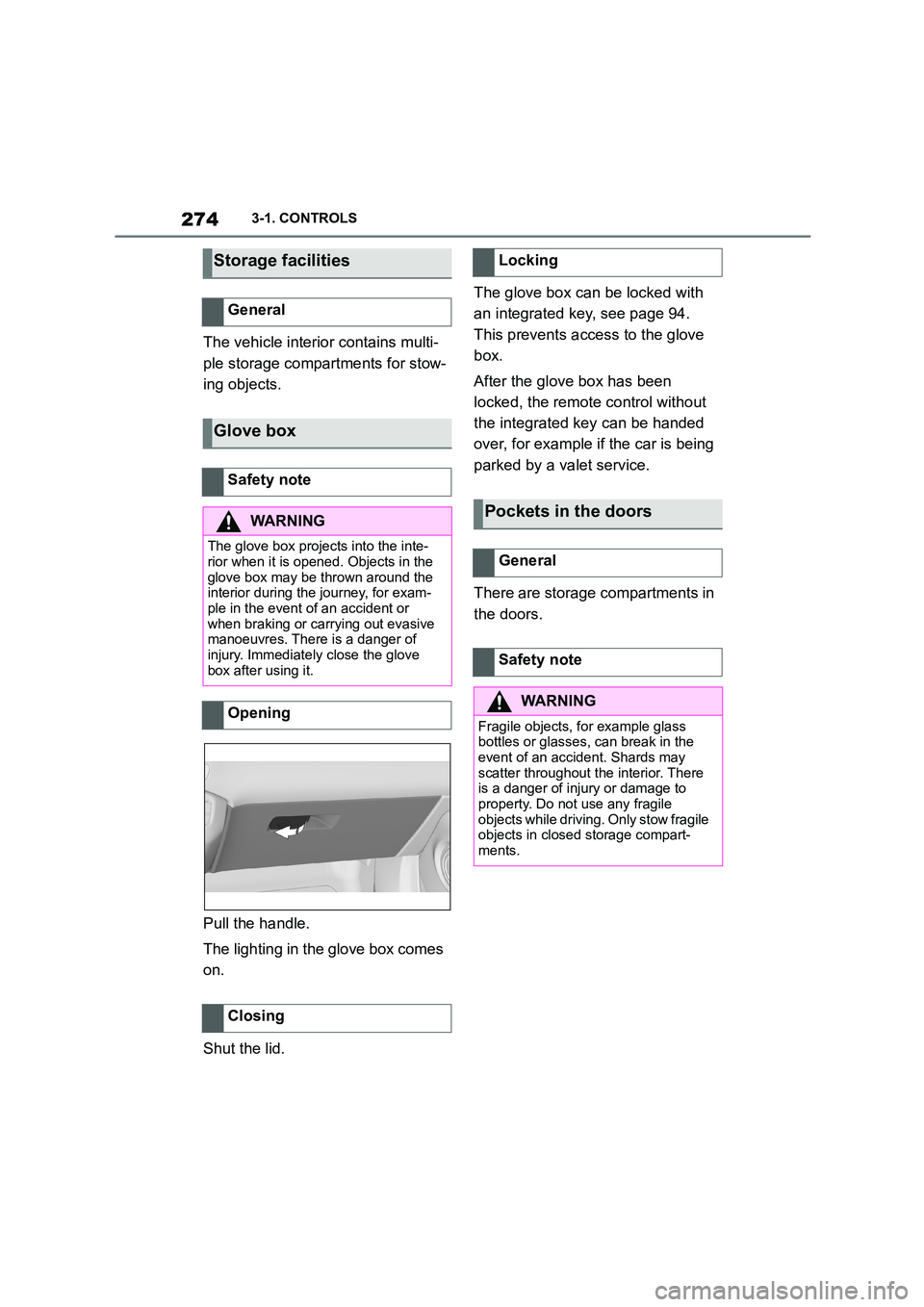
Pull the handle.
The lighting in the glove box comes
on.
Shut the lid.
The glove box can be locked with
an integrated key, see page 94.
This prevents access to the glove
box.
After the glove box has been
locked, the remote control without
the integrated key can be handed
over, for example if the car is being
parked by a valet service.
There are storage compartments in
the doors.
Storage facilities
General
Glove box
Safety note
WA R N I N G
The glove box projects into the inte- rior when it is opened. Objects in the
glove box may be thrown around the
interior during the journey, for exam- ple in the event of an accident or
when braking or carrying out evasive
manoeuvres. There is a danger of injury. Immediately close the glove
box after using it.
Opening
Closing
Locking
Pockets in the doors
General
Safety note
WA R N I N G
Fragile objects, for example glass
bottles or glasses, can break in the event of an accident. Shards may
scatter throughout the interior. There
is a danger of injury or damage to property. Do not use any fragile
objects while driving. Only stow fragile
objects in closed storage compart- ments.
Page 277 of 498
275
3
3-1. CONTROLS
CONTROLS
This chapter describes all standard,
country-specific and special equip-
ment available for the model series.
It may therefore describe equip-
ment and functions which are not
installed in your vehicle, for exam-
ple on account of the special equip-
ment selected or the country
specification. This also applies to
safety-relevant functions and sys-
tems. Please comply with the rele-
vant laws and regulations when
using the corresponding functions
and systems.
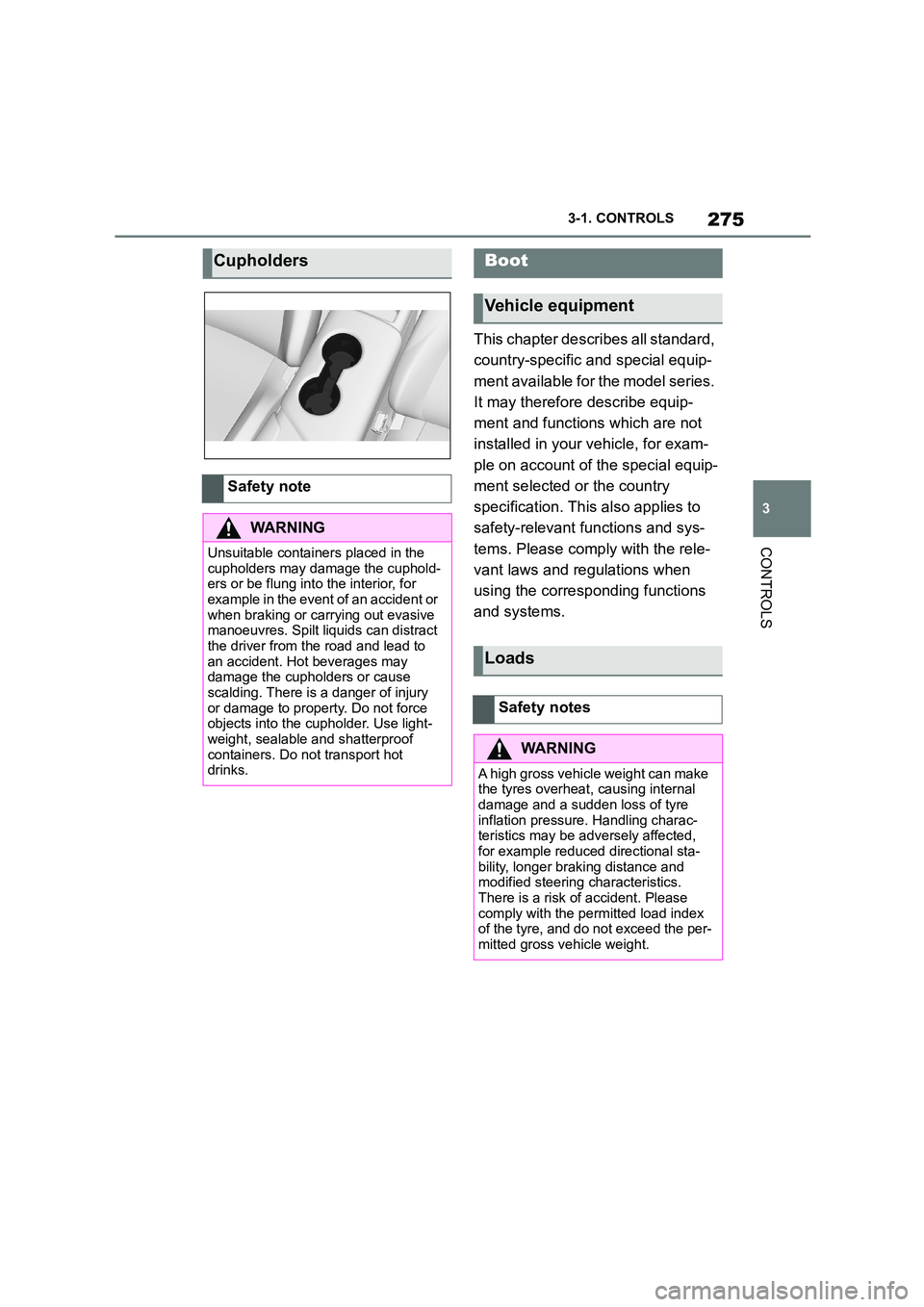
Cupholders
Safety note
WA R N I N G
Unsuitable containers placed in the
cupholders may damage the cuphold- ers or be flung into the interior, for
example in the event of an accident or
when braking or carrying out evasive manoeuvres. Spilt liquids can distract
the driver from the road and lead to
an accident. Hot beverages may damage the cupholders or cause
scalding. There is a danger of injury
or damage to property. Do not force objects into the cupholder. Use light-
weight, sealable and shatterproof
containers. Do not transport hot drinks.
Boot
Vehicle equipment
Loads
Safety notes
WA R N I N G
A high gross vehicle weight can make
the tyres overheat, causing internal
damage and a sudden loss of tyre inflation pressure. Handling charac-
teristics may be adversely affected,
for example reduced directional sta- bility, longer braking distance and
modified steering characteristics.
There is a risk of accident. Please comply with the permitted load index
of the tyre, and do not exceed the per-
mitted gross vehicle weight.
Page 278 of 498
2763-1. CONTROLS
Wrap protective material around
any sharp corners and edges on
the load.
Heavy transported loads: stow
as far forward and as low down
as possible, ideally directly
behind the boot partition.
Small and lightweight loads:
secure with retaining straps, a
luggage net or other suitable
straps.
Large and heavy loads: secure
with lashing straps.
*: if equipped
Equipment for securing the trans-
ported load, for example lashing
straps, tensioning straps or luggage
nets, must be secured to the lash-
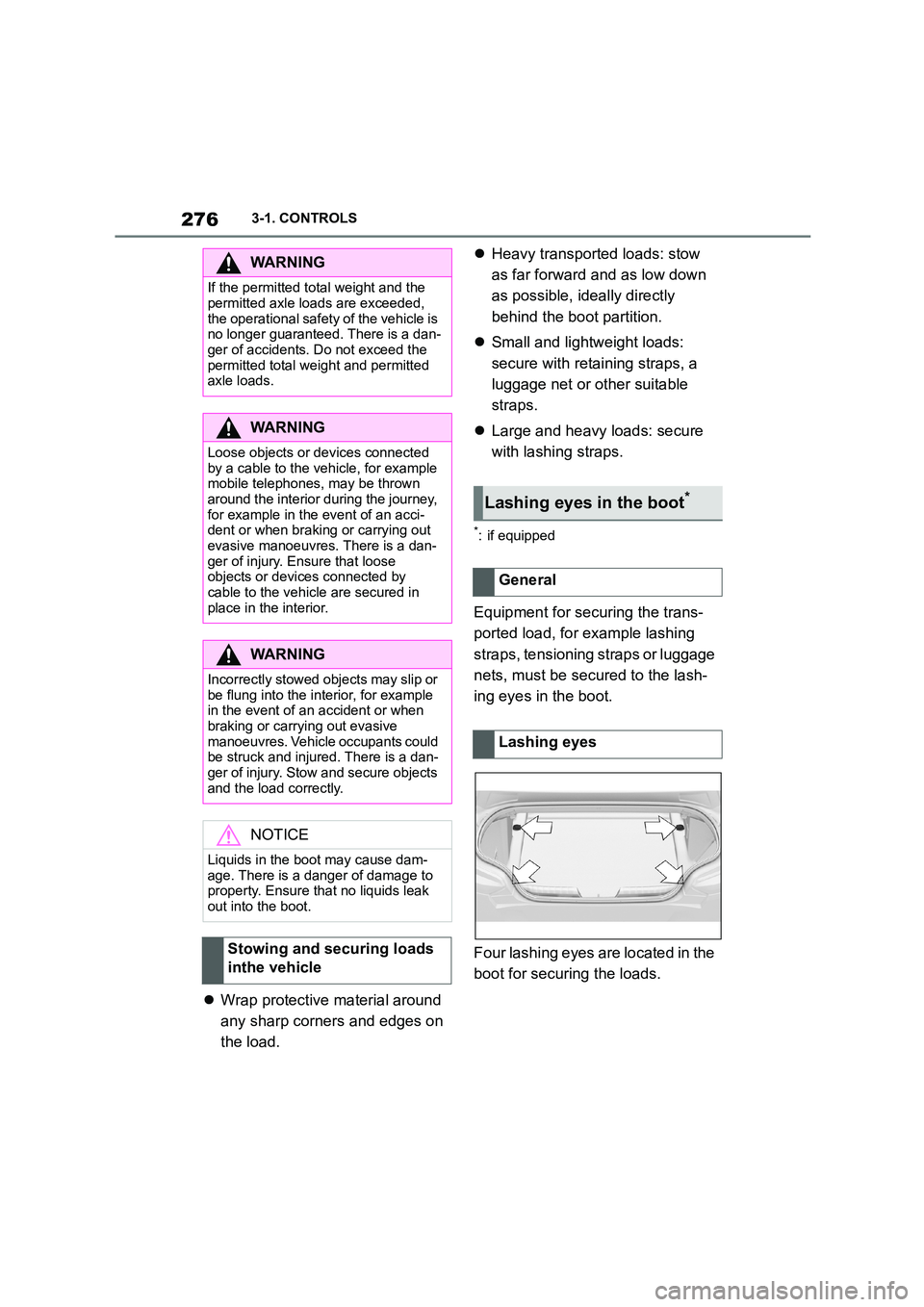
ing eyes in the boot.
Four lashing eyes are located in the
boot for securing the loads.
WA R N I N G
If the permitted total weight and the
permitted axle loads are exceeded,
the operational safety of the vehicle is no longer guaranteed. There is a dan-
ger of accidents. Do not exceed the
permitted total weight and permitted axle loads.
WA R N I N G
Loose objects or devices connected
by a cable to the vehicle, for example mobile telephones, may be thrown
around the interior during the journey,
for example in the event of an acci- dent or when braking or carrying out
evasive manoeuvres. There is a dan-
ger of injury. Ensure that loose objects or devices connected by
cable to the vehicle are secured in
place in the interior.
WA R N I N G
Incorrectly stowed objects may slip or
be flung into the interior, for example
in the event of an accident or when braking or carrying out evasive
manoeuvres. Vehicle occupants could
be struck and injured. There is a dan- ger of injury. Stow and secure objects
and the load correctly.
NOTICE
Liquids in the boot may cause dam- age. There is a danger of damage to
property. Ensure that no liquids leak
out into the boot.
Stowing and securing loads
inthe vehicle
Lashing eyes in the boot*
General
Lashing eyes
Page 279 of 498
277
3
3-1. CONTROLS
CONTROLS
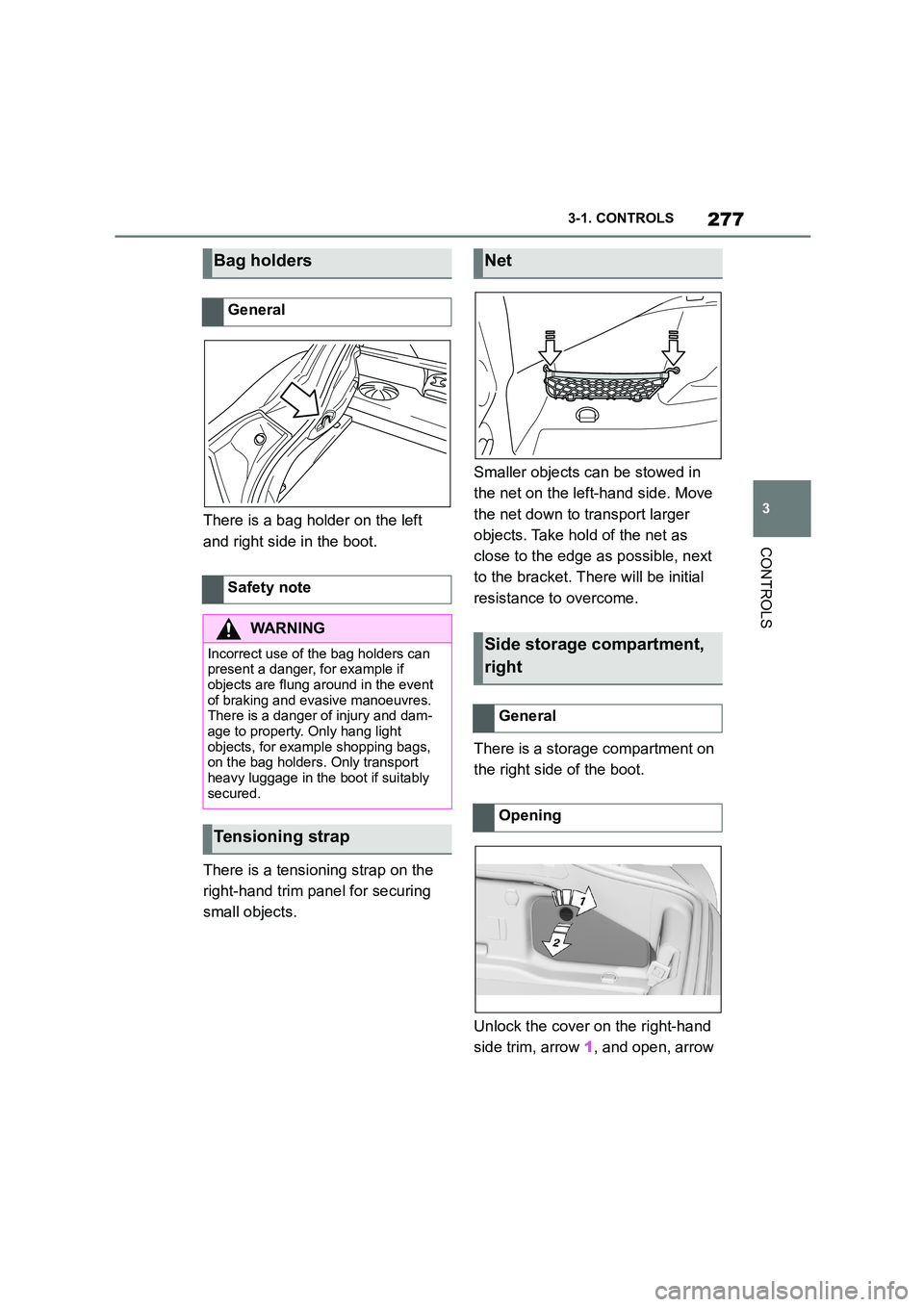
There is a bag holder on the left
and right side in the boot.
There is a tensioning strap on the
right-hand trim panel for securing
small objects.
Smaller objects can be stowed in
the net on the left-hand side. Move
the net down to transport larger
objects. Take hold of the net as
close to the edge as possible, next
to the bracket. Th ere will be initial
resistance to overcome.
There is a storage compartment on
the right side of the boot.
Unlock the cover on the right-hand
side trim, arrow 1, and open, arrow
Bag holders
General
Safety note
WA R N I N G
Incorrect use of the bag holders can
present a danger, for example if
objects are flung around in the event of braking and evasive manoeuvres.
There is a danger of injury and dam-
age to property. Only hang light objects, for example shopping bags,
on the bag holders. Only transport
heavy luggage in the boot if suitably secured.
Tensioning strap
Net
Side storage compartment,
right
General
Opening