ESP TOYOTA SUPRA 2022 Repair Manual
[x] Cancel search | Manufacturer: TOYOTA, Model Year: 2022, Model line: SUPRA, Model: TOYOTA SUPRA 2022Pages: 498, PDF Size: 104.06 MB
Page 239 of 498
237
3
3-1. CONTROLS
CONTROLS
Press the rocker switch repeatedly
upwards or downwards until the
desired speed is set.
If the system is active, the dis-
played speed is stored and the
vehicle reaches the stored speed
when the road is clear.
Each time the rocker switch is
pressed to the resistance point,
the desired speed is increased or
decreased by 1 km/h, 1 mph.
Each time the rocker switch is
pressed beyond the resistance
point, the desired speed
changes to the next multiple of
10 km/h on the km/h display or
the next multiple of 5 mph on the
mph display in the speedometer.
The maximum speed which can be set
depends on the vehicle.
Pressing the rocker switch to the
resistance point and holding it
there accelerates or decelerates
the vehicle without pressing the
accelerator pedal.
The speed is maintained after releasing
the rocker switch. Pressing beyond the
resistance point acce lerates the vehicle
more rapidly.
If Cruise Control is interrupted, it
can be resumed by calling up the
saved speed.
Before calling up the saved speed,
make sure that the difference
between the current speed and the
saved speed is not excessively
large. Otherwise, there may be
inadvertent braking or acceleration.
Cruise Control is resumed with the
saved values.
The saved speed value is deleted
and can no longer be called up in
the following instances:
When the system is switched off.
When drive-ready state is
switched off.
With the corresponding equipment,
the set speed limit is displayed digi-
tally for a short time.
Some information from the system
can also be shown in the Head-Up
Display.
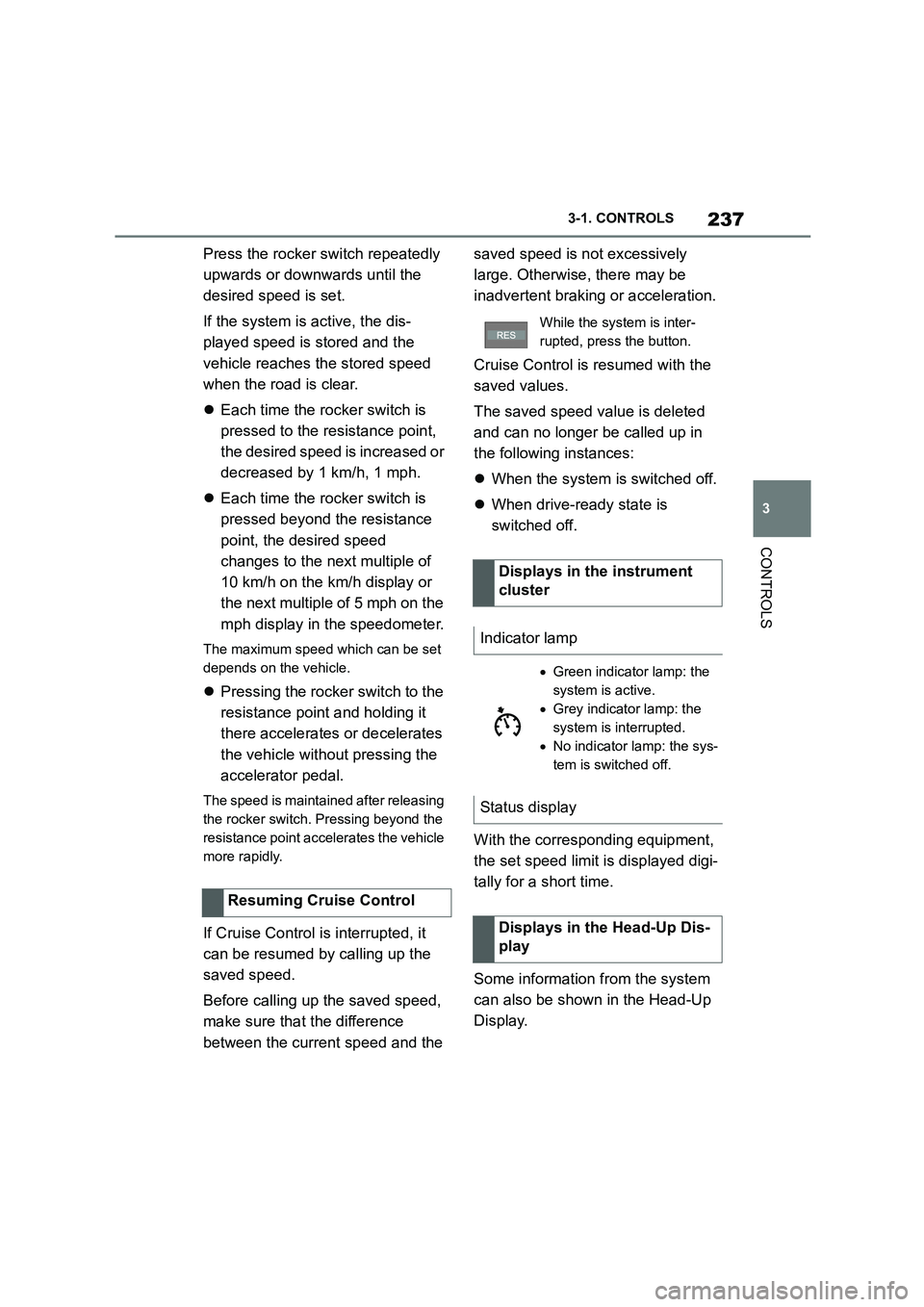
Resuming Cruise Control
While the system is inter-
rupted, press the button.
Displays in the instrument
cluster
Indicator lamp
Green indicator lamp: the
system is active.
Grey indicator lamp: the
system is interrupted.
No indicator lamp: the sys-
tem is switched off.
Status display
Displays in the Head-Up Dis-
play
Page 240 of 498
2383-1. CONTROLS
The desired speed is also main-
tained when drivi ng downhill. The
vehicle may drive slower than the
desired speed on uphill gradients if
there is not enough engine power.
*: if equipped
This system allows you to set a
desired speed and a desired dis-
tance from the vehicle in front,
using the buttons on the steering
wheel.
When the road ahead is clear, the
system maintains the desired
speed by braking or accelerating
the vehicle automatically, as
required.
If there is a vehicle driving in front,
the system adapts your own vehicle
speed in order to maintain the set
distance from the vehicle ahead.
The speed is adapted as far as the
given situation allows.
Depending on the vehicle settings,
the characteristics of the Cruise
Control may change.
The distance can be set in several
stages, and is dependent on the
individual speed for reasons of
safety.
If the vehicle ahead brakes to a
standstill and sets off again shortly
afterwards, the system can recog-
nise this within the bounds of what
is possible in the given conditions.
The symbol is displayed
when the set desired speed
has been reached.
System limits
Dynamic radar cruise con-
trol with full-speed range*
Principle
General
Safety notes
WA R N I N G
The system does not relieve you of
your personal responsibility to assess
the traffic situation correctly. Due to system limitations, it cannot respond
independently and appropriately in all
traffic conditions. There is a danger of accidents. Adapt your driving style to
the traffic conditions. Observe the
traffic situation and intervene actively if the situation warrants it.
WA R N I N G
An unsecured vehicle can start mov-
ing and rolling away. There is a dan- ger of accidents. Before leaving the
vehicle, secure it to prevent it from
rolling away.
Observe the following to ensure that
the vehicle is secured against rolling away:
●Apply the parking brake.
●Turn the front wheels towards the
kerb on upward or downward gradi- ents.
●Additionally secure the vehicle on upward or downward gradients, for
example with a chock.
Page 243 of 498
241
3
3-1. CONTROLS
CONTROLS
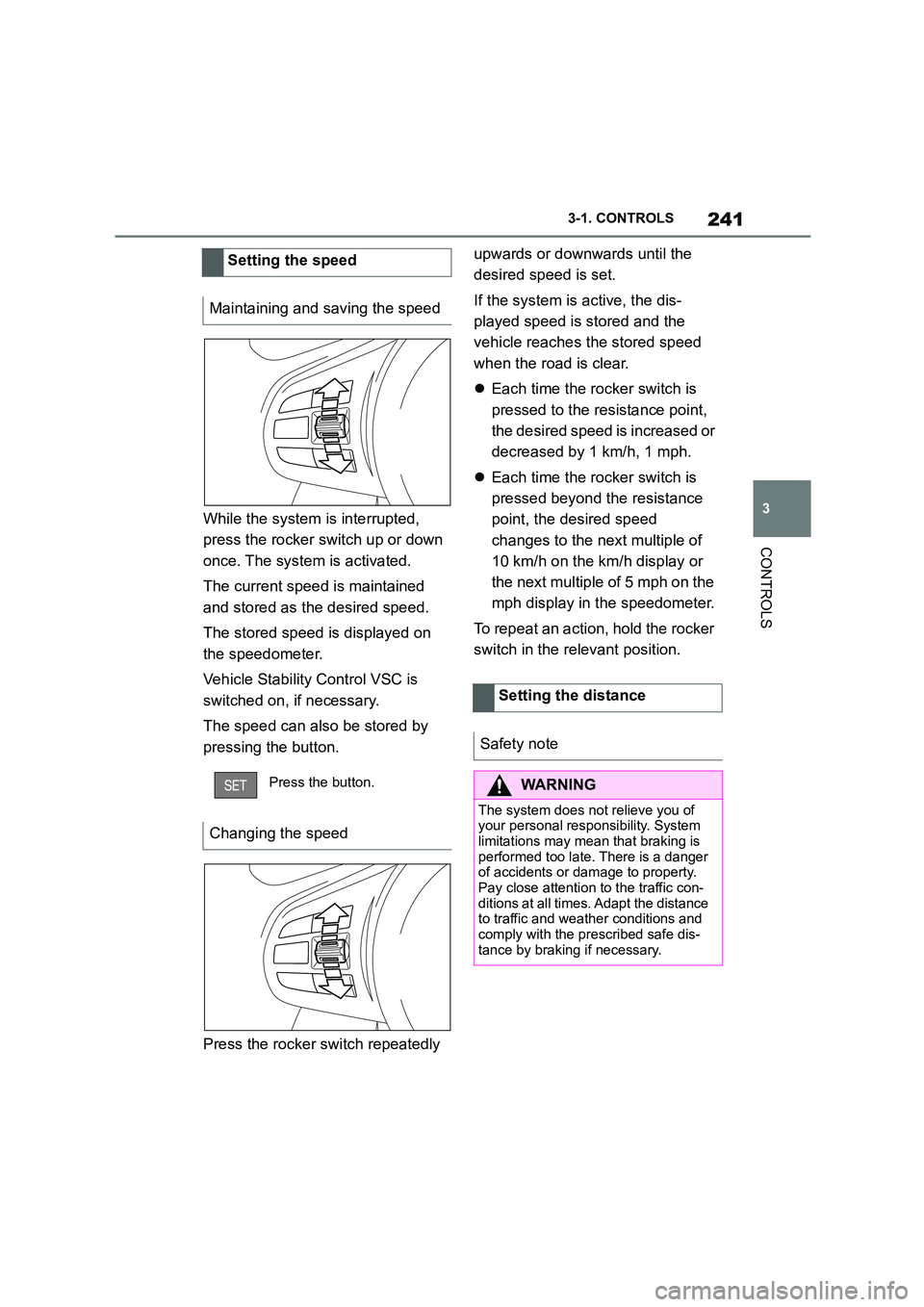
While the system is interrupted,
press the rocker switch up or down
once. The system is activated.
The current speed is maintained
and stored as the desired speed.
The stored speed is displayed on
the speedometer.
Vehicle Stability Control VSC is
switched on, if necessary.
The speed can also be stored by
pressing the button.
Press the rocker switch repeatedly
upwards or downwards until the
desired speed is set.
If the system is active, the dis-
played speed is stored and the
vehicle reaches the stored speed
when the road is clear.
Each time the rocker switch is
pressed to the resistance point,
the desired speed is increased or
decreased by 1 km/h, 1 mph.
Each time the rocker switch is
pressed beyond the resistance
point, the desired speed
changes to the next multiple of
10 km/h on the km/h display or
the next multiple of 5 mph on the
mph display in the speedometer.
To repeat an action, hold the rocker
switch in the relevant position.
Setting the speed
Maintaining and saving the speed
Press the button.
Changing the speed
Setting the distance
Safety note
WA R N I N G
The system does not relieve you of
your personal responsibility. System limitations may mean that braking is
performed too late. There is a danger
of accidents or damage to property. Pay close attention to the traffic con-
ditions at all times. Adapt the distance
to traffic and weather conditions and comply with the prescribed safe dis-
tance by braking if necessary.
Page 244 of 498
2423-1. CONTROLS
If Cruise Control is interrupted, it
can be resumed by calling up the
saved speed.
Before calling up the saved speed,
make sure that the difference
between the current speed and the
saved speed is not excessively
large. Otherwise, there may be
inadvertent braking or acceleration.
Cruise Control is resumed with the
saved values.
The saved speed value is deleted
and can no longer be called up in
the following instances:
When the system is switched off.
When drive-ready state is
switched off.
Distance control can be switched
off and on when driving with Cruise
Control activated.
To switch back to Cruise Control
with distance control, press the but-
ton again.
A vehicle message is displayed
after switching.
The selected distance to the vehi-
cle ahead is displayed.
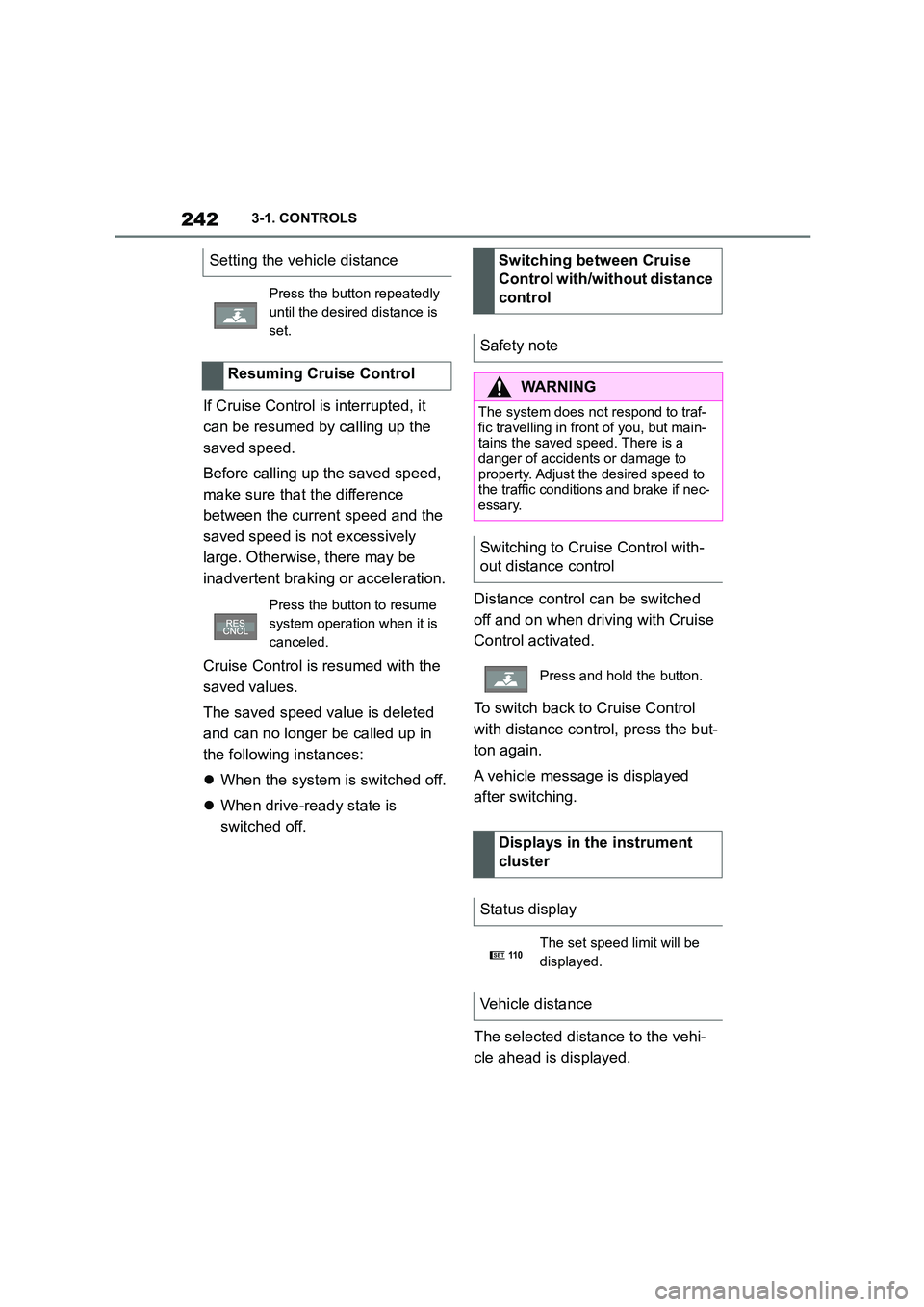
Setting the vehicle distance
Press the button repeatedly
until the desired distance is
set.
Resuming Cruise Control
Press the button to resume
system operation when it is
canceled.
Switching between Cruise
Control with/without distance
control
Safety note
WA R N I N G
The system does not respond to traf-
fic travelling in front of you, but main- tains the saved speed. There is a
danger of accidents or damage to
property. Adjust the desired speed to the traffic conditions and brake if nec-
essary.
Switching to Cruise Control with-
out distance control
Press and hold the button.
Displays in the instrument
cluster
Status display
The set speed limit will be
displayed.
Vehicle distance
SET11 0
Page 245 of 498
243
3
3-1. CONTROLS
CONTROLS
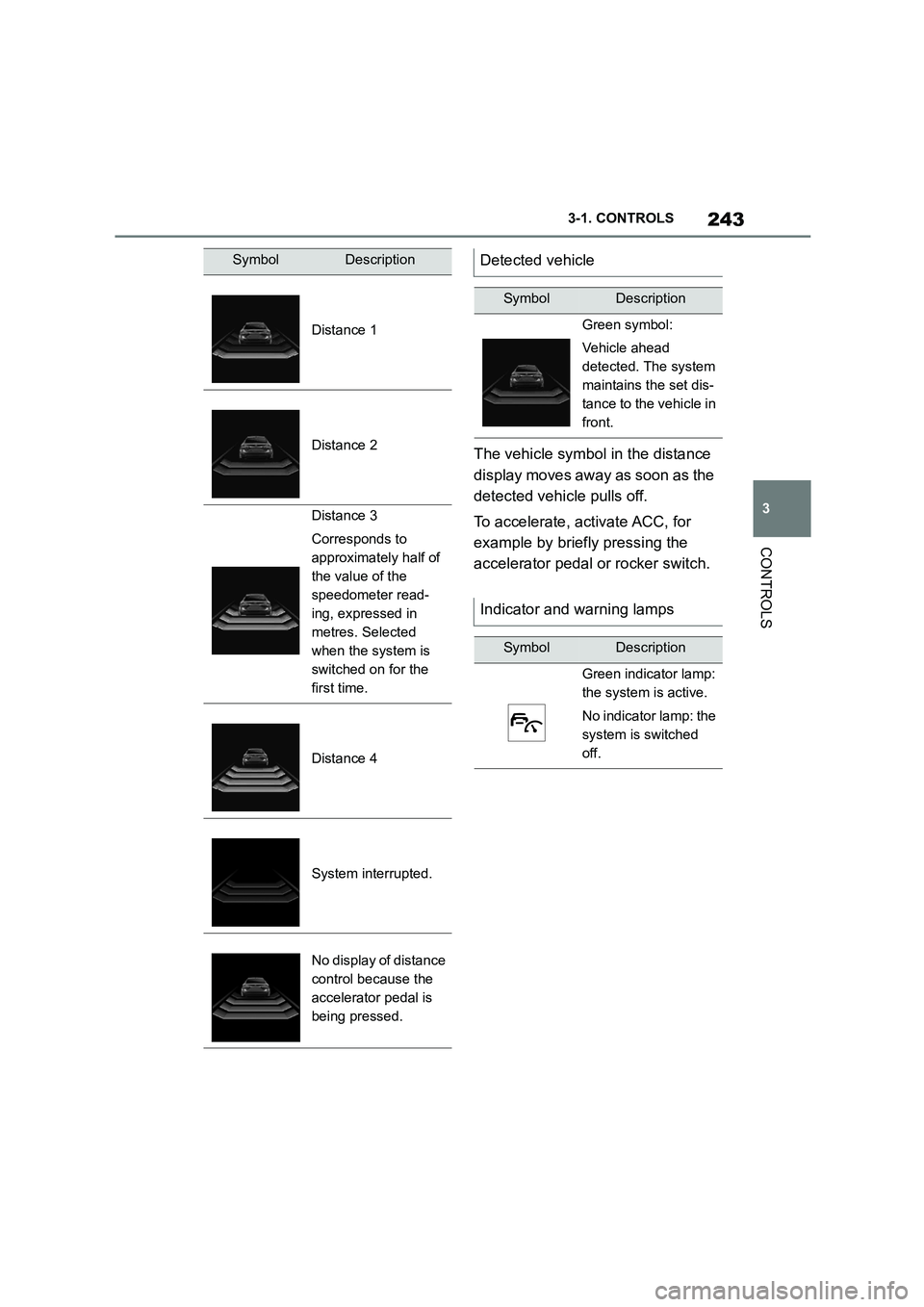
The vehicle symbol in the distance
display moves away as soon as the
detected vehicle pulls off.
To accelerate, activate ACC, for
example by briefly pressing the
accelerator pedal or rocker switch.
SymbolDescription
Distance 1
Distance 2
Distance 3
Corresponds to
approximately half of
the value of the
speedometer read-
ing, expressed in
metres. Selected
when the system is
switched on for the
first time.
Distance 4
System interrupted.
No display of distance
control because the
accelerator pedal is
being pressed.
Detected vehicle
SymbolDescription
Green symbol:
Vehicle ahead
detected. The system
maintains the set dis-
tance to the vehicle in
front.
Indicator and warning lamps
SymbolDescription
Green indicator lamp:
the system is active.
No indicator lamp: the
system is switched
off.
Page 247 of 498
245
3
3-1. CONTROLS
CONTROLS
road users.
For red traffic lights.
For crossing traffic.
For oncoming vehicles.
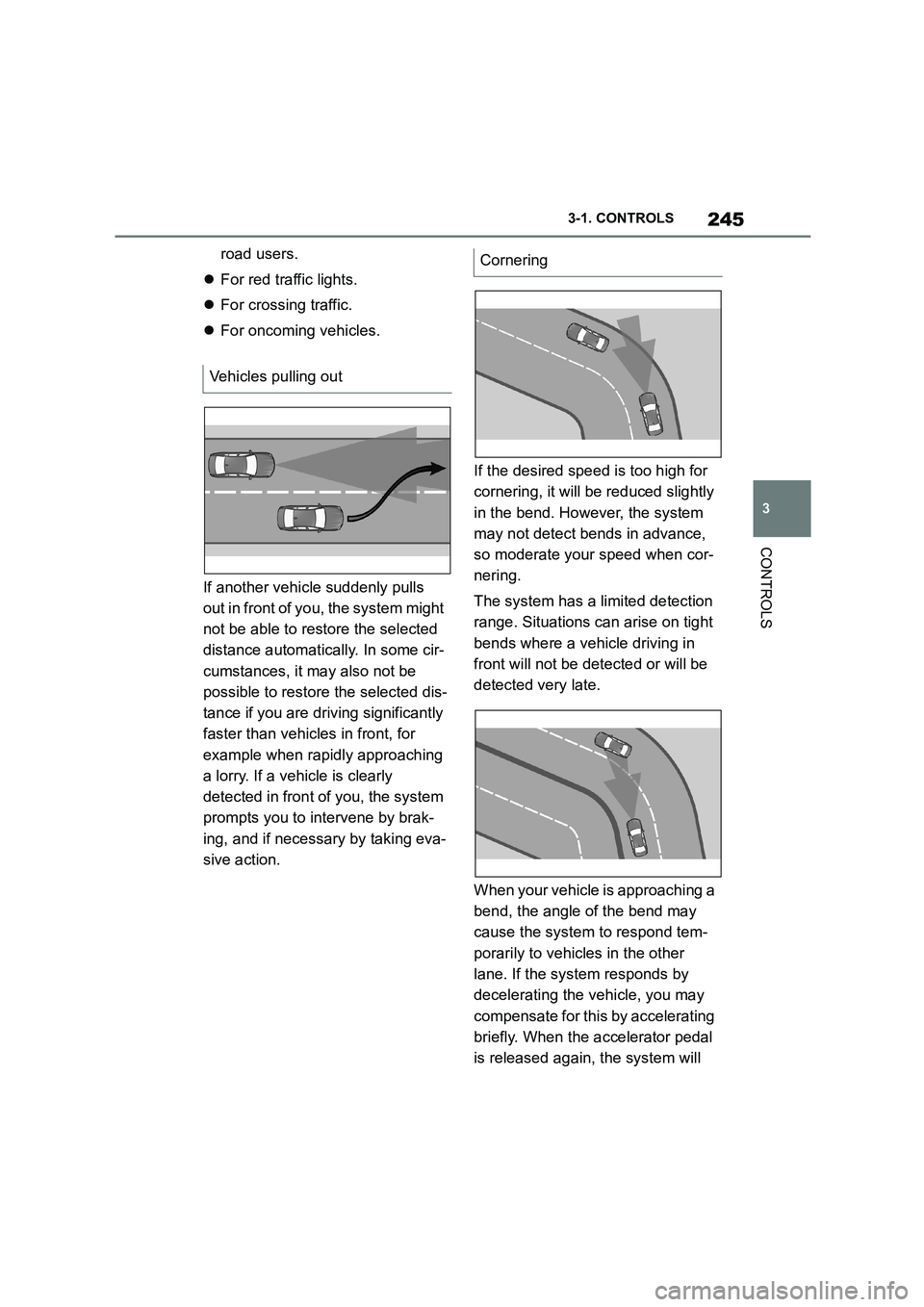
If another vehicle suddenly pulls
out in front of you, the system might
not be able to restore the selected
distance automatically. In some cir-
cumstances, it may also not be
possible to restore the selected dis-
tance if you are driving significantly
faster than vehicles in front, for
example when rapidly approaching
a lorry. If a vehicle is clearly
detected in front of you, the system
prompts you to intervene by brak-
ing, and if necessary by taking eva-
sive action.
If the desired speed is too high for
cornering, it will be reduced slightly
in the bend. However, the system
may not detect bends in advance,
so moderate your speed when cor-
nering.
The system has a limited detection
range. Situations can arise on tight
bends where a vehicle driving in
front will not be detected or will be
detected very late.
When your vehicle is approaching a
bend, the angle of the bend may
cause the system to respond tem-
porarily to vehicles in the other
lane. If the system responds by
decelerating the vehicle, you may
compensate for this by accelerating
briefly. When the accelerator pedal
is released again, the system will
Vehicles pulling out
Cornering
Page 248 of 498
2463-1. CONTROLS
resume control of the vehicle's
speed.
The vehicle cannot drive off auto-
matically in some situations, for
example:
On steep upward gradients.
Before bumps or rises in the
road.
In such cases, de press the acceler-
ator pedal.
The following restrictions may apply
if the weather or lighting conditions
are unfavourable:
Impaired detection of vehicles.
Brief interruptions when vehicles
have already been detected.
Examples of unfavourable weather
or lighting conditions:
Wet roads.
Snowfall.
Slush.
Fog.
Oncoming light.
Pay attention when driving and
respond to the prev ailing traffic con-
ditions. If necessary, intervene
actively, for example by braking,
steering or taking evasive action.
The desired speed is also main-
tained when driving downhill. The
vehicle may drive slower than the
desired speed on uphill gradients if
there is not enough engine power.
*: if equipped
When the systems in the vehicle
(Speed Limit Info, for example)
detect a change in the speed limit
on the route, it is possible to adopt
this new speed lim it value for the
following systems:
Manual Speed Limiter.
Cruise Control.
Dynamic radar cruise control
with full-speed range.
The speed value is proposed as a
new desired speed for adopting.
The relevant system must be acti-
vated for the speed value to be
adopted.
Driving off
Weather
Engine power
Speed Limit Assist*
Principle
Page 249 of 498
247
3
3-1. CONTROLS
CONTROLS
Via Toyota Supra Command:
1 "My vehicle"
2 "Vehicle settings"
3 "Speed Assistant"
A message is displayed in the
instrument cluster if the system and
the Cruise Control are switched on.
In manual mode, a detected speed
limit can be manually adopted for
Cruise Control.
Safety notes
WA R N I N G
The system does not relieve you of
your personal responsibility to assess the traffic situation correctly. Due to
system limitations, it cannot respond
independently and appropriately in all traffic conditions. There is a danger of
accidents. Adapt your driving style to
the traffic conditions. Observe the
traffic situation and intervene actively if the situation warrants it.
WA R N I N G
The desired speed may be acciden-tally set incorrectly or called up by
mistake. There is a danger of acci-
dents. Adjust the desired speed to the traffic conditions. Observe the traffic
situation and intervene actively if the
situation warrants it.
Overview
Buttons on the steering wheel
ButtonFunction
Adopt the suggested
speed manually.
Switching on/off and setting
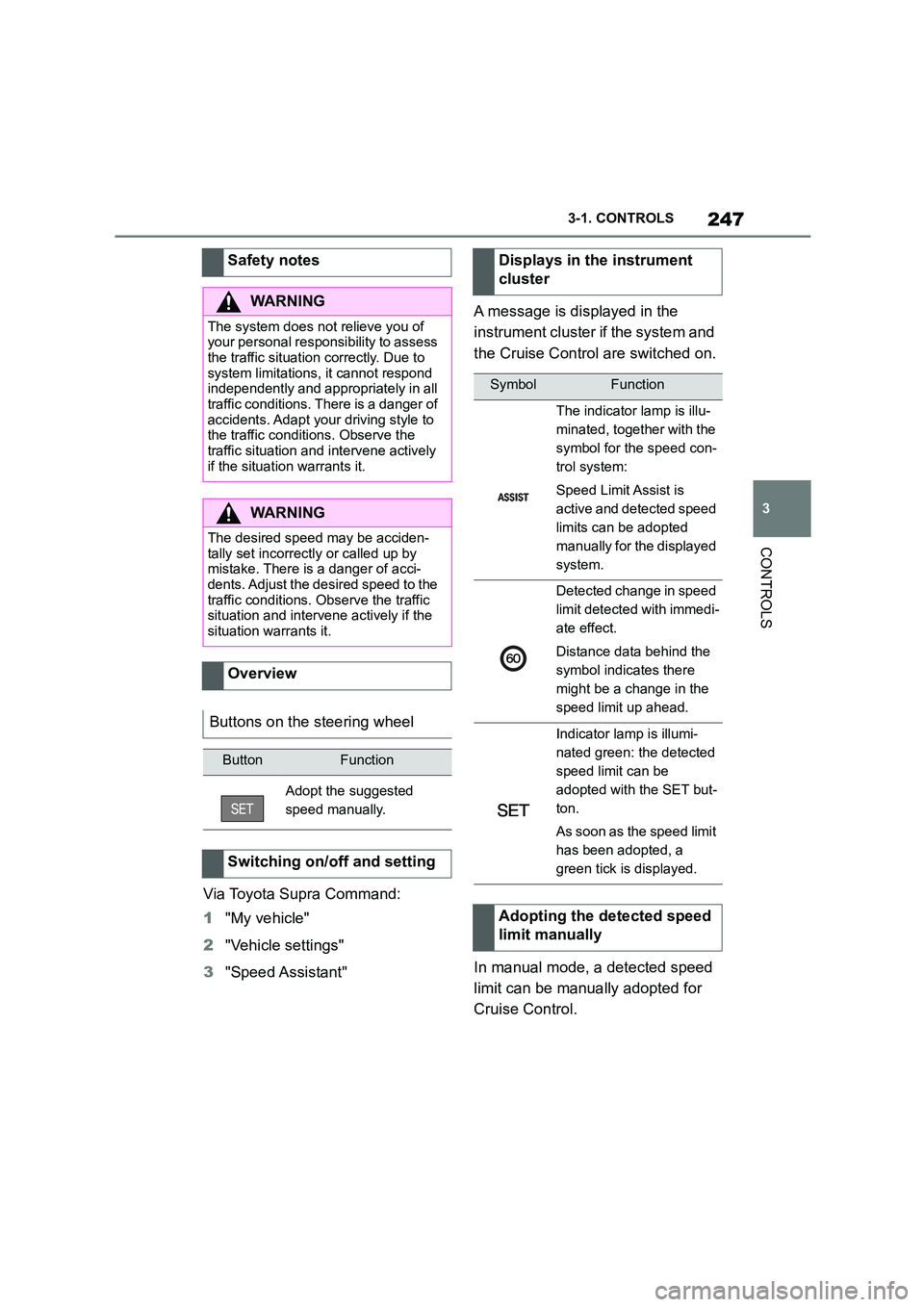
Displays in the instrument
cluster
SymbolFunction
The indicator lamp is illu-
minated, together with the
symbol for the speed con-
trol system:
Speed Limit Assist is
active and detected speed
limits can be adopted
manually for the displayed
system.
Detected change in speed
limit detected with immedi-
ate effect.
Distance data behind the
symbol indicates there
might be a change in the
speed limit up ahead.
Indicator lamp is illumi-
nated green: the detected
speed limit can be
adopted with the SET but-
ton.
As soon as the speed limit
has been adopted, a
green tick is displayed.
Adopting the detected speed
limit manually
Page 250 of 498
2483-1. CONTROLS
It is possible to set whether the
speed limit should be accepted
exactly, or with a tolerance of –15
km/h, –10 mph to +15 km/h, +10
mph.
Via Toyota Supra Command:
1 "My vehicle"
2 "Vehicle settings"
3 "Speed Assistant"
4 "Adjust speed limits"
5 Confirm the desired setting.
Speed Limit Assist based on the
Speed Limit Info system.
Take into account the Speed Limit
Info system limits, see page 176.
Depending on the country, dis-
played speed limits may not be
available for acceptance, or only
available with restrictions, for
example with speed information
from the navigation system.
Cruise Control without distance
control: depending on the system, it
may not be possible to adopt speed
limits automatically.
Speed limits that are ahead may
only be adopted for Dynamic radar
cruise control.
The system may not respond to
speed limits if the navigation sys-
tem cannot determine the position
of the vehicle with certainty.
Parking Sensor provides assis-
tance when parking the vehicle.
Objects in front of or behind the
vehicle as it slowly approaches are
indicated by means of acoustic sig-
nals and a display on the Control
Display.
Depending on the equipment ver-
sion: obstacles at the side of the
vehicle that are detected by the
side ultrasonic sensors may also be
reported by the flank protection,
see page 252, function.
The ultrasonic sensors for measur-
ing distances are located in the
bumpers, and if applicable on the
side of the vehicle.
Their range is approximately 2 m, 6
ft, depending on the obstacle and
environment.
An acoustic warning is given when
the vehicle is approx. 70 cm, 27 in
away from an obje ct and a collision
is imminent.
For objects behind the vehicle, the
acoustic warning is given sooner, at
When the SET symbol illumi-
nates in white, press the but-
ton.
Setting the speed adjustment
System limits
Parking Sensors
Principle
General
Page 251 of 498
249
3
3-1. CONTROLS
CONTROLS
a distance of approx. 1.50 m, 5 ft.
The system is controlled using the
following sensors:
• Ultrasonic sensors in the bump-
ers.
For further information:
Sensors of the vehicle, see page
52.
The system switches on automati-
cally in the follo wing situations:
If selector lever position R is
engaged while the engine is run-
ning.
Depending on the equipment
version: when approaching
detected obstacles, if the speed
is below approximately 4 km/h,
2.5 mph. The activation distance
depends on the individual situa-
tion.
Automatic activation on detection of
obstacles can be enabled and disa-
bled.
Via Toyota Supra Command:
1 "My vehicle"
2 "Vehicle settings"
3 "Parking"
4 If applicable: "Automatic Parking
Sensors activation"
5 "Automatic Parking Sensors
activ."
Safety notes
WA R N I N G
The system does not relieve you of
your personal responsibility to assess the traffic situation correctly. Due to
system limitations, it cannot respond
independently and appropriately in all
traffic conditions. There is a danger of accidents. Adapt your driving style to
the traffic conditions. Observe the
traffic situation and intervene actively if the situation warrants it.
WA R N I N G
If the vehicle is travelling at high speed when Parking Sensors is acti-
vated, there may be a delayed warn-
ing because of physical conditions. There is a danger of injury or damage
to property. Avoid approaching an
object at speed. Avoid moving off at
speed while Parking Sensors is not yet active.
Overview
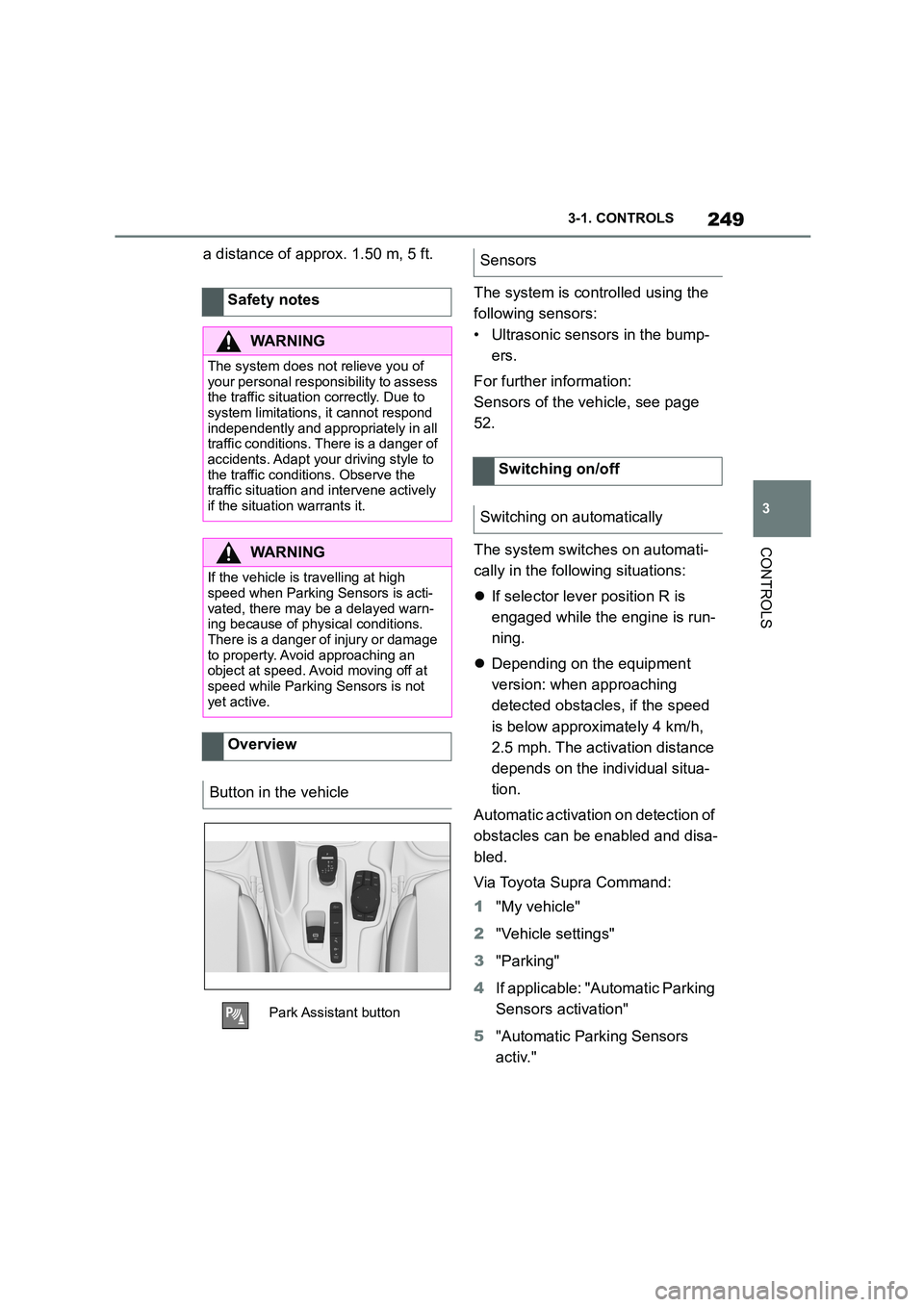
Button in the vehicle
Park Assistant button
Sensors
Switching on/off
Switching on automatically